

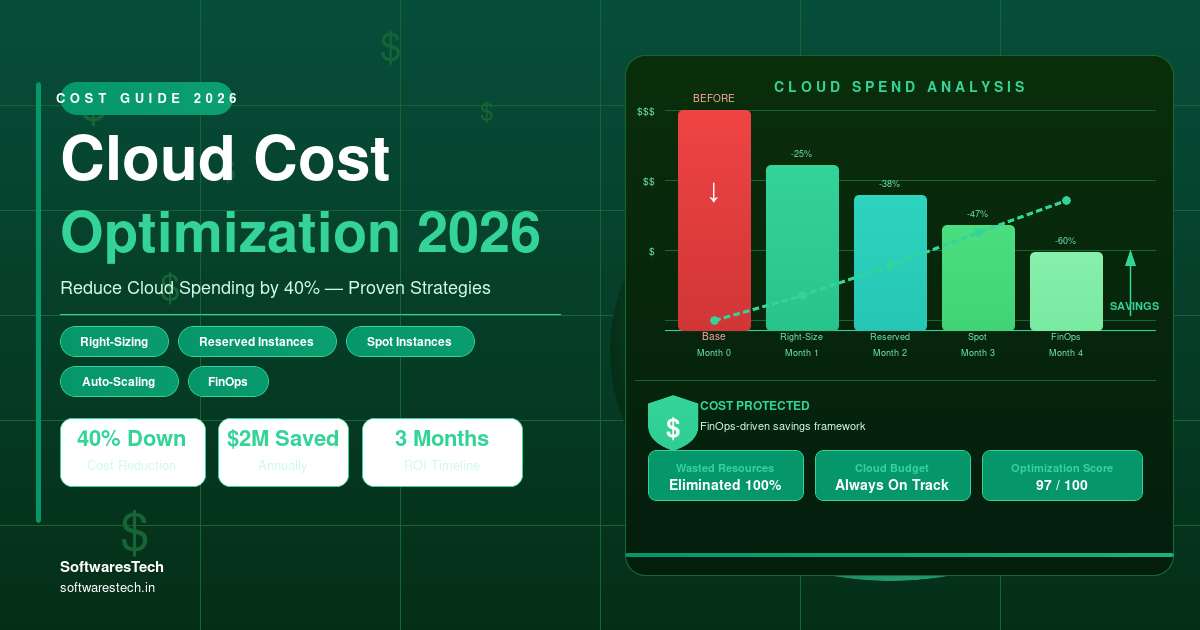
Written by the Softwarestech Cloud Engineering Team — reviewed by AWS, Azure and Google Cloud certified solutions architects. Last updated: June 2026.
The fastest way to find 20-40% in cloud savings isn’t a new tool — it’s a disciplined look at what you’re already paying for. Most businesses we audit aren’t being “ripped off” by AWS, Azure, or Google Cloud. They’re paying full price for capacity, storage, and services nobody is using anymore.
On This Page

Key Takeaways
- Cloud bills grow through accumulation, not a single mistake: idle resources, oversized instances, and forgotten storage volumes each add a small amount — together they’re often 20-40% of total spend.
- Every major provider gives away the data you need for free: AWS Cost Explorer, Azure Cost Management, and Google Cloud’s Cost Table all surface optimization opportunities — most businesses simply never look.
- Rightsizing is usually the single biggest lever: matching instance sizes to actual utilization routinely cuts compute costs by 50% or more on individual resources.
- Commitment-based discounts (Reserved Instances, Savings Plans, Committed Use Discounts) only pay off for steady-state workloads — committing too early or too broadly can lock in waste instead of removing it.
- Tagging and dashboards turn cost optimization from a one-time project into an ongoing habit — without them, costs creep back up within months of any cleanup effort.
- A 40% reduction is realistic for businesses that haven’t optimized before — but it comes from a combination of techniques, not any single change.
If your cloud bill has crept up steadily over the past year without a corresponding increase in usage, you’re not alone — and you’re not stuck with it. Cloud cost optimization is one of the highest-ROI projects a business can run, because unlike most infrastructure work, the “after” state is usually the same performance and reliability for meaningfully less money. This guide walks through why cloud costs creep up in the first place, the specific techniques that work on AWS, Azure, and Google Cloud, and how to build the habits that keep costs under control after the initial cleanup.
Why Cloud Costs Increase Unexpectedly
Cloud bills rarely spike because of one dramatic event. They climb gradually, in ways that are individually easy to ignore and collectively expensive. A few patterns explain most of the growth we see when auditing client accounts:
- Resources provisioned for a project that ended: a test environment, a proof of concept, or a campaign-specific server that nobody decommissioned after the project wrapped up.
- “Just in case” sizing: instances and databases provisioned larger than needed, on the assumption that demand will grow into the capacity — often it never does, or growth is years away.
- Storage that quietly accumulates: automated snapshots, old log files, and backup volumes that were never assigned a retention policy keep growing every month.
- Cross-region and egress traffic: as architectures grow more distributed, data transfer between regions, availability zones, or out to the internet adds up in ways that don’t show up until the bill arrives.
- New services adopted without a cost review: teams enable a new managed service to solve an immediate problem, and it becomes a permanent — and permanently billed — part of the architecture.
- No one owns the bill: when cost isn’t assigned to a specific team or budget, there’s no natural incentive for anyone to question whether a resource is still needed.
None of these are signs of mismanagement so much as the natural result of moving fast. The good news is that all of them are addressable with the right combination of one-time cleanup and ongoing governance — covered later in Monitoring and Cost Governance.
Common Cloud Cost Mistakes
Beyond the gradual creep described above, there are a handful of specific mistakes that consistently show up in cost audits across AWS, Azure, and Google Cloud accounts.
- Leaving development and test environments running 24/7: non-production environments are often only used during business hours, yet billed around the clock — a simple scheduled shutdown can cut their cost by 60-70%.
- Over-provisioning databases “to be safe”: database instances are frequently sized for an anticipated peak that either never arrives or arrives years later, while the business pays peak pricing every day in between.
- Default storage tiers for everything: data that’s accessed once a year sits in the most expensive, highest-availability storage tier because nobody set up lifecycle policies to move it to cheaper archive tiers.
- Orphaned resources after deployments: load balancers, IP addresses, and disk volumes that were attached to a resource that’s since been deleted, but continue billing on their own.
- No alerting on cost anomalies: a misconfigured auto-scaling group or a runaway process can multiply costs for days or weeks before anyone notices on the monthly invoice.
- Committing to the wrong reserved capacity: locking in a 1-3 year commitment based on current usage, then changing architecture shortly after — leaving a paid-for commitment that no longer matches actual needs.
If even two or three of these sound familiar, there’s a good chance meaningful savings are available without touching application code or architecture — just configuration and cleanup.

AWS Cost Optimization Techniques
AWS offers some of the most mature cost management tooling of the major providers, largely because it’s been around the longest and has the broadest service catalog to manage. The techniques below consistently produce the largest savings for AWS-heavy environments.
- AWS Compute Optimizer: analyzes historical utilization for EC2, EBS, Lambda, and ECS, and recommends specific rightsizing changes — often with projected savings figures attached to each recommendation.
- Savings Plans and Reserved Instances: for steady-state compute usage, Compute Savings Plans can reduce costs by up to 66% compared to On-Demand pricing in exchange for a 1 or 3-year commitment.
- Spot Instances for fault-tolerant workloads: batch processing, CI/CD runners, and other interruptible workloads can run on Spot Instances at up to 90% off On-Demand pricing.
- Graviton (ARM-based) instances: migrating compatible workloads to Graviton processors typically delivers 20-40% better price-performance than equivalent x86 instances.
- S3 Storage Lifecycle policies: automatically transition objects to S3 Standard-IA, Glacier, or Glacier Deep Archive based on age or access patterns, without manual intervention.
- AWS Trusted Advisor and Cost Anomaly Detection: Trusted Advisor flags idle load balancers, underutilized EBS volumes, and unattached Elastic IPs, while Cost Anomaly Detection alerts on unusual spend spikes in near real-time.
For a deeper, EC2-specific walkthrough of these techniques — including how to read Compute Optimizer recommendations and structure a Savings Plan purchase — see our dedicated AWS EC2 cost optimization guide.
Azure Cost Optimization Techniques
Azure’s cost optimization strengths are closely tied to its enterprise licensing ecosystem — businesses already invested in Microsoft licensing have optimization levers that aren’t available on other platforms.
- Azure Advisor cost recommendations: surfaces underutilized virtual machines, idle resources, and reservation opportunities directly in the Azure portal, with one-click paths to act on them.
- Azure Hybrid Benefit: organizations with existing Windows Server or SQL Server licenses under Software Assurance can apply those licenses to Azure VMs, reducing compute costs by up to 40% for licensed workloads.
- Reserved Instances and Savings Plans for compute: similar to AWS, 1 or 3-year reservations on VMs, SQL Database, and Cosmos DB can reduce costs by 30-65% for predictable workloads.
- Azure Spot Virtual Machines: take advantage of unused Azure capacity at discounts of up to 90%, well-suited to batch jobs, dev/test environments, and stateless workloads that can tolerate eviction.
- Auto-shutdown schedules for dev/test: Azure DevTest Labs and VM auto-shutdown policies stop non-production VMs outside business hours automatically — one of the fastest wins to implement.
- Storage tiering with Blob lifecycle management: automatically move blobs between Hot, Cool, and Archive tiers based on access patterns, mirroring the savings available through S3 lifecycle policies on AWS.
Google Cloud Cost Optimization Techniques
Google Cloud’s pricing model includes some automatic discounts that other providers require manual configuration for, alongside data-platform-specific levers that matter for analytics-heavy businesses.
- Sustained Use Discounts: Compute Engine automatically applies discounts of up to 30% for instances that run for a significant portion of the billing month — no commitment or configuration required.
- Committed Use Discounts (CUDs): for predictable workloads, 1 or 3-year spend-based or resource-based commitments can reduce compute and certain database costs by up to 70%.
- Active Assist recommendations: Google Cloud’s Active Assist proactively surfaces rightsizing recommendations, idle resources, and unattended projects across an organization.
- Spot VMs: similar to AWS Spot and Azure Spot, Google Cloud Spot VMs offer discounts of 60-91% for fault-tolerant and batch workloads.
- BigQuery cost controls: for data-heavy organizations, switching from on-demand query pricing to flat-rate slot reservations — combined with partitioned and clustered tables — can dramatically reduce analytics costs at scale.
- Cloud Storage Autoclass: automatically moves objects between storage classes based on access patterns without requiring manual lifecycle rules, similar in goal to S3 and Blob lifecycle policies.
Across all three providers, the underlying pattern is the same: a free recommendation engine (Compute Optimizer, Advisor, or Active Assist), a commitment-based discount program, and a spot/preemptible option for flexible workloads. The provider-specific names change; the strategy doesn’t.
Rightsizing Compute Resources
If there’s one technique that applies universally and produces the largest single improvement, it’s rightsizing — matching the size of compute and database instances to what workloads actually use, based on real utilization data rather than original estimates.

The reason rightsizing delivers such large gains is that instance pricing scales roughly linearly with size, but most workloads don’t actually need anywhere close to the capacity they’re provisioned with. An instance running at 15% average CPU utilization isn’t “15% efficient” — it’s evidence that an instance a quarter of the size would handle the same workload comfortably, often with room to spare for spikes.
- Use at least 2-4 weeks of utilization data before rightsizing — shorter windows can miss weekly or monthly peaks (end-of-month batch jobs, periodic reports) that justify current sizing.
- Rightsize databases separately from compute: database instances often have different bottlenecks (memory, IOPS) than CPU, so CPU utilization alone can be misleading for database rightsizing decisions.
- Don’t rightsize in isolation from architecture: if an application is a strong candidate for auto-scaling or a managed/serverless service, it may be better to redesign rather than simply pick a smaller fixed size.
- Re-run rightsizing analysis quarterly: usage patterns shift as products grow or features change — a rightsizing exercise is not a one-time event.
Reserved Instances vs Savings Plans
Once workloads are rightsized, committing to discounted pricing for the capacity you’ll actually keep using is the next major lever. AWS offers both Reserved Instances and Savings Plans (Azure and Google Cloud have close equivalents), and choosing between them comes down to how much flexibility you need.
| Factor | Reserved Instances | Savings Plans |
|---|---|---|
| What you commit to | A specific instance type, region, and (optionally) availability zone | A dollar amount of compute usage per hour, across instance families and regions |
| Flexibility | Lower — switching instance types may not be covered by the reservation | Higher — automatically applies to usage across eligible instance families and services |
| Typical discount | Up to ~72% for 3-year, all-upfront terms | Up to ~66% for Compute Savings Plans, slightly less than equivalent RIs but with much more flexibility |
| Best for | Highly stable workloads on a fixed instance type that won’t change for the commitment term | Most businesses — especially those still evolving their architecture or instance mix |
A practical approach: start with 1-year Savings Plans covering 50-70% of your baseline, predictable usage — the portion that’s stayed flat for several months — and leave the remainder on-demand or covered by Spot. Reassess and increase coverage every 6-12 months as your baseline becomes clearer. Avoid the temptation to cover 100% of current usage immediately; usage patterns change, and over-committing can turn a savings program into a new source of waste.
Monitoring and Cost Governance
A one-time cleanup typically delivers the biggest initial drop in spend — but without ongoing governance, costs creep back toward their old levels within 6-12 months as new resources are provisioned without the same scrutiny. Turning optimization into a habit, not a project, is what makes savings durable.
- Tag everything, and enforce it: require tags for team, environment, and project on every resource at creation time — ideally enforced through policy (AWS Service Control Policies, Azure Policy, or Google Cloud Organization Policy) rather than convention alone.
- Build a cost dashboard your teams actually look at: a shared dashboard — often built in Grafana on top of cloud billing exports — that breaks down spend by team, environment, and service makes cost visible without requiring anyone to dig through the billing console.
- Set budget alerts with real thresholds: configure alerts at 50%, 80%, and 100% of expected monthly spend per project or team, so anomalies are caught within days rather than at the end of the billing cycle.
- Automate non-production shutdown schedules: scheduled start/stop for dev, test, and staging environments outside business hours is one of the highest-leverage, lowest-effort governance wins.
- Review reservations and commitments quarterly: as architecture evolves, previously-purchased Reserved Instances or CUDs can become a poor match for current usage — quarterly reviews catch this before it becomes years of wasted commitment.
- Make cost part of the engineering review process: for significant new infrastructure, a brief cost estimate as part of design review catches expensive architectural choices before they’re deployed, not after.
This governance layer is closely related to the operational discipline covered in our DevOps best practices guide — cost governance works best when it’s built into the same pipelines and review processes that already govern deployments and infrastructure changes.
Real-World Cost Optimization Example
To make this concrete, here’s a representative example based on the type of engagement we run with mid-size SaaS clients. A company running its production environment on AWS was spending roughly $100,000 per month, with cloud costs growing faster than revenue for the previous two quarters.

A 90-day optimization engagement broke down as follows:
- Weeks 1-2 — Assessment: utilization analysis across ~340 EC2 instances and RDS databases, plus a full review of storage, networking, and existing commitments.
- Weeks 3-6 — Rightsizing and cleanup: rightsized roughly 60% of EC2 instances and several oversized RDS instances, removed 40+ unattached EBS volumes and unused Elastic IPs, and applied S3 lifecycle policies to several terabytes of cold log data.
- Weeks 7-10 — Commitments and scheduling: purchased Compute Savings Plans covering ~60% of steady-state usage, and implemented automated shutdown schedules for all non-production environments.
- Weeks 11-12 — Governance: rolled out mandatory tagging policies, built a Grafana cost dashboard fed by Cost Explorer exports, and set up budget alerts per team.
The result: monthly spend dropped from $100,000 to roughly $60,000 — a 40% reduction — with no measurable impact on application performance, because the capacity removed was capacity that was never being used in the first place. Just as importantly, the governance changes meant spend stayed near $60,000 in the following months rather than drifting back upward.
How Softwarestech Helps Reduce Cloud Costs
Softwarestech runs cloud cost optimization engagements across AWS, Azure, and Google Cloud — from a one-time audit that identifies quick wins, to a full optimization program that combines rightsizing, commitment planning, and ongoing governance.
- Free initial cost audit: a structured review of your current cloud spend that identifies idle resources, oversized instances, storage cleanup opportunities, and quick wins — typically delivered within days.
- Rightsizing and cleanup execution: hands-on implementation of rightsizing recommendations, decommissioning of unused resources, and storage lifecycle policy configuration.
- Reserved capacity and Savings Plan strategy: analysis of your usage baseline to recommend the right mix and timing of commitment-based discounts without over-committing.
- Cost dashboards and alerting: Grafana-based cost dashboards and budget alerting tailored to how your teams are organized, so cost ownership is clear.
- Tagging and governance policy design: enforceable tagging standards and policy guardrails (AWS SCPs, Azure Policy, GCP Organization Policy) that keep new resources accountable from day one.
- Ongoing FinOps support: quarterly reviews of commitments, usage trends, and architecture changes to keep savings durable long after the initial engagement.
If you’re also evaluating a broader move to the cloud rather than optimizing an existing environment, our cloud migration strategy guide covers how to build cost optimization into a migration from day one rather than retrofitting it later.
Conclusion
Cloud cost optimization isn’t about cutting corners or sacrificing performance — it’s about paying for what you actually use, and building the visibility to keep it that way. The businesses that achieve the largest, most durable savings combine three things: a thorough one-time cleanup (rightsizing, decommissioning, storage tiering), smart use of commitment-based discounts matched to a stable baseline, and ongoing governance — tagging, dashboards, and alerts — that prevents the same waste from quietly returning.
A 40% reduction sounds dramatic, but for businesses that haven’t run a structured optimization before, it’s a realistic outcome — and the process to get there is well understood across AWS, Azure, and Google Cloud. The hardest part is usually just getting started.
Frequently Asked Questions
How much can a business realistically save on cloud costs?
For businesses that haven’t run a structured optimization before, 20-40% savings is a realistic range, driven primarily by rightsizing, eliminating idle resources, and committing to reserved capacity for steady-state workloads. Businesses that have already optimized previously will typically see smaller, incremental gains from each subsequent review.
Will cost optimization affect application performance?
When done correctly, no — rightsizing is based on actual utilization data, so resources are matched to real demand rather than cut arbitrarily. Changes are typically validated in a staging environment or rolled out gradually with monitoring in place to catch any unexpected impact.
How long does a cost optimization project take?
An initial audit can be completed in days. A full optimization engagement — including rightsizing, cleanup, commitment planning, and governance setup — typically takes 60-90 days for a mid-size environment, similar to the example walked through in this guide.
Should we wait until after a migration to optimize costs?
No — building cost optimization into a migration from the start (right-sizing during the move, choosing managed services deliberately, and setting up tagging from day one) is significantly easier than retrofitting it afterward. If you’re planning a migration, see our cloud migration strategy guide for how the two fit together.
Further Reading
For industry benchmarks and additional context, we recommend the FinOps Foundation.
Do Reserved Instances or Savings Plans lock us into a specific cloud provider?
They lock you into a commitment with that provider for the term you choose (typically 1 or 3 years), but not into a specific architecture in the case of Savings Plans, CUDs, or similar flexible commitments. This is exactly why starting with shorter terms and partial coverage — rather than committing 100% of usage for 3 years immediately — is the safer approach while your architecture is still evolving.

Want to Reduce Your Cloud Bill?
Schedule a free cloud cost audit with Softwarestech — our certified architects will review your AWS, Azure, or Google Cloud environment and identify specific savings opportunities, with no obligation.
Schedule a Free Cost AuditNeed Help Building Your Next Digital Product?
From web and mobile apps to cloud infrastructure and AI-powered platforms — our engineers can help you plan, build and scale with confidence.
Related Articles
Enterprise Cloud Optimization Services in 2026: The Complete Infrastructure Guide
As digital transformation accelerates across every industry, modern enterprises face a double-edged sword: cloud environments offer unparalleled agility, yet unmanaged cloud infrastructure quickly leads...

High-Performance Cloud Optimization in 2026: The Complete Enterprise Infrastructure Guide
As digital transformations accelerate across every industry, organizations face a double-edged sword: the cloud offers unparalleled agility, yet unmanaged cloud infrastructure quickly leads to...
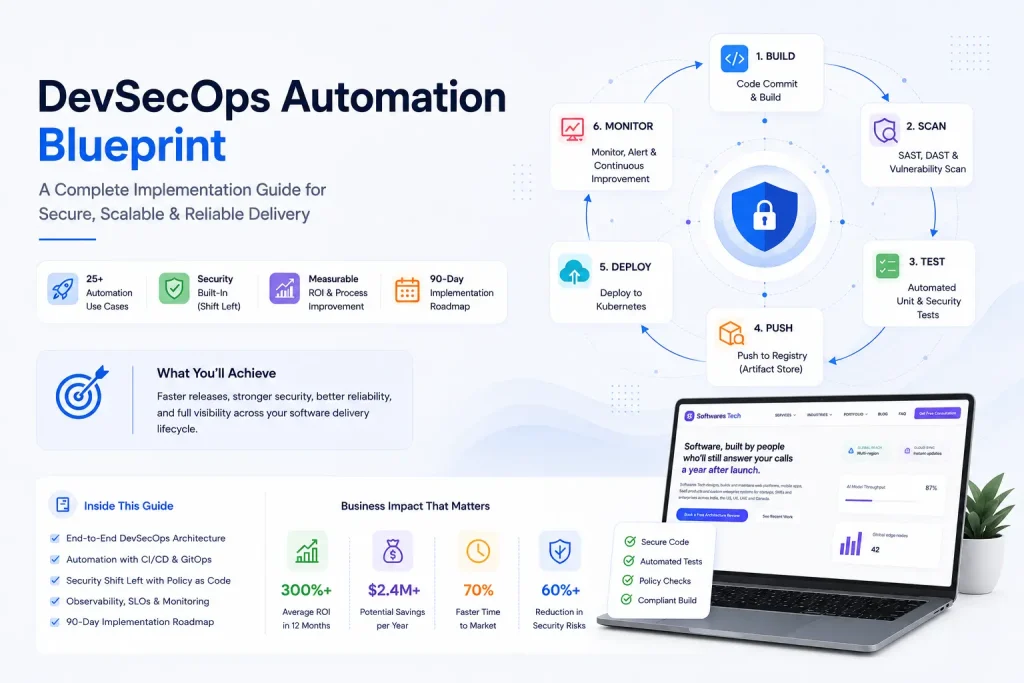
DevOps Best Practices in 2026: From CI/CD to Production Monitoring
If you've spent any real time on call, you already know that "DevOps" stopped being a job title years ago and became a shared...
