

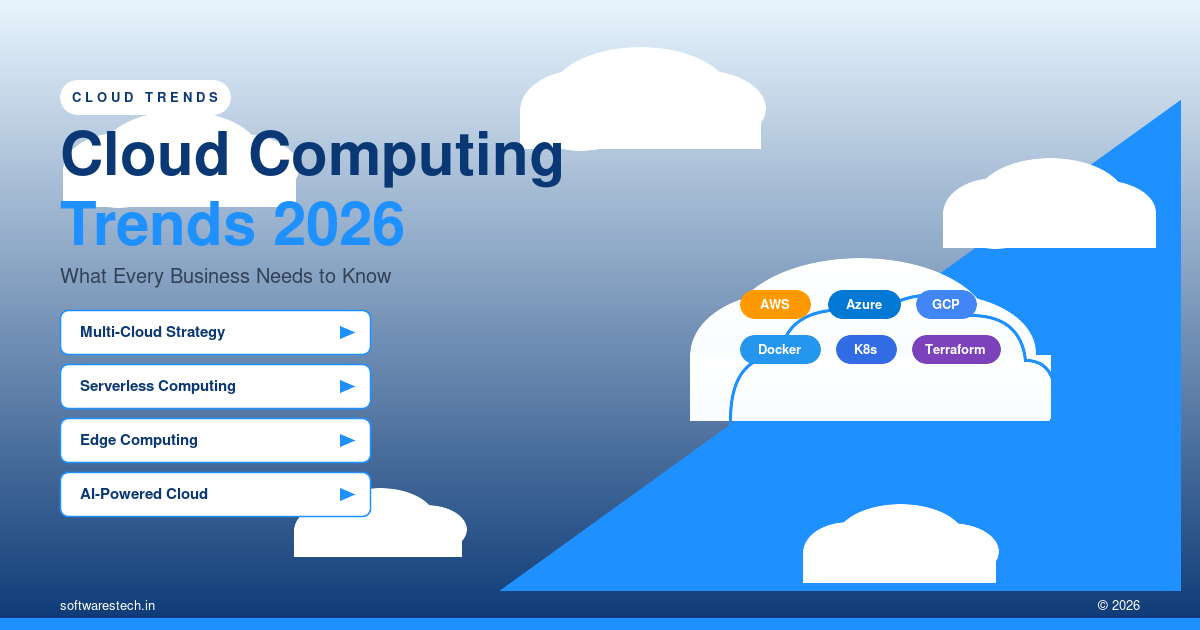
Written by the Softwarestech Cloud Engineering Team — reviewed by AWS, Azure and Google Cloud certified solutions architects. Last updated: June 2026.
We’ve spent the last few years migrating workloads, untangling multi-cloud bills, and rebuilding architectures around GPU availability for clients ranging from regional retailers to logistics fleets. The cloud computing trends 2026 brings aren’t theoretical: they’re showing up in our clients’ invoices, their compliance audits, and their on-call rotations every week.
On This Page

Key Takeaways
- Cloud-smart has replaced cloud-first: businesses are choosing where workloads live based on cost, latency, and compliance, not defaulting to “everything in the cloud.”
- FinOps is now a board-level discipline: cloud spend is reviewed alongside payroll and marketing budgets, with dedicated cost-optimization roles in mid-sized companies.
- AI workloads are reshaping infrastructure decisions: GPU availability, managed AI services, and inference costs now influence which cloud provider and region a company picks.
- Kubernetes has matured into “boring infrastructure”: serverless containers (AWS Fargate, Azure Container Apps, Cloud Run) are reducing the operational overhead of running clusters.
- Edge computing is moving from pilot to production for latency-sensitive use cases like retail point-of-sale, IoT, and real-time logistics tracking.
- Data residency and zero trust are now compliance requirements, not optional security upgrades, especially for companies operating in the EU, UK, and parts of Asia.
- Sustainability metrics are appearing in vendor RFPs, with some enterprise procurement teams requiring carbon reporting from cloud providers.
If you’re a CTO or IT director trying to plan next year’s infrastructure budget, the honest answer is that “the cloud” isn’t one decision anymore. It’s a portfolio of decisions: which workloads run where, how you’re billed for each one, and how you prove to auditors, customers, and your own finance team that you’re not overspending. The cloud computing trends 2026 are bringing aren’t abstract industry predictions — they’re showing up in renewal negotiations, security questionnaires, and the line items finance asks you to explain. Let’s walk through what’s actually changing and what it means for your roadmap.
From “Cloud-First” to “Cloud-Smart”: Multi-Cloud and Hybrid Strategy
For most of the last decade, “cloud-first” was the default mandate handed down to IT teams: move everything to AWS, Azure, or Google Cloud, decommission the data center, and call it digital transformation. By 2026, that mandate has quietly evolved into something more nuanced. We call it cloud-smart, and it means picking the right environment for each workload rather than forcing everything into one provider’s ecosystem.
In practice, this looks like running customer-facing applications on a primary public cloud, keeping certain regulated data in a private cloud or on-prem environment, and using a second public cloud for specific services (say, Google Cloud’s BigQuery for analytics while the rest of the stack sits on AWS). According to Flexera’s 2025 State of the Cloud report, over 89% of enterprises now describe their strategy as multi-cloud, but the more telling stat is that the average organization actively uses just 2.2 clouds for production workloads, not the five or six some surveys from a few years back implied.
The driver isn’t ideology, it’s risk management and negotiating leverage. When a single vendor controls 100% of your infrastructure, you have zero leverage on pricing and a single point of failure if there’s an outage or a contract dispute. We’ve seen clients use a credible multi-cloud posture (even a modest one, like running disaster recovery in a second cloud) to negotiate meaningfully better enterprise discount agreements during renewal cycles. Building this kind of resilient cloud infrastructure isn’t free, but it pays for itself the first time a vendor renewal conversation gets tense.
Public Cloud
On-Prem / Private
Data & Analytics
Cost Controls
What “Hybrid” Means Now
Hybrid cloud in 2026 is less about VMware-on-prem-plus-AWS and more about consistent tooling across environments. Platforms like Azure Arc, Google Anthos, and AWS Outposts let teams run the same Kubernetes-based deployment pipelines whether the workload lands on a public cloud region or a server rack in their own data center. For companies with strict data sovereignty requirements (financial services, healthcare, government contractors), this consistency is what makes hybrid practical rather than a maintenance nightmare with two completely different toolchains.
The AWS Well-Architected Framework is a useful reference point here even if you’re not running everything on AWS — its operational excellence and cost optimization pillars translate almost directly to how Azure and Google Cloud frame their own architecture reviews, and walking a hybrid environment through that lens tends to surface gaps before they become production incidents.

FinOps and Cloud Cost Optimization: A Board-Level Conversation
Cloud spend used to be an IT line item. Now it’s a board-level topic, and for good reason: for many mid-sized companies, cloud infrastructure has become one of the top five operating expenses, right alongside payroll, real estate, and marketing. The FinOps Foundation’s 2025 survey found that 72% of organizations had a dedicated FinOps function or role, up from under half just three years earlier.
What does FinOps actually involve day-to-day? Three things, mostly: visibility (knowing which team or product is generating which cost), optimization (right-sizing instances, committing to reserved capacity, eliminating waste), and accountability (giving engineering teams a budget and making them own it, the way they’d own a latency SLA). The tooling has matured too. Native cost tools like AWS Cost Explorer and Azure Cost Management now integrate with third-party platforms like CloudHealth, Vantage, and Kubecost to give per-team, per-namespace cost breakdowns that were nearly impossible to get cleanly even two years ago.
Cost Optimization
Real Example: E-Commerce Client Cuts Cloud Spend by 34%
One of our e-commerce clients, a mid-sized retailer running roughly 40 EC2 instances plus an RDS cluster and a fleet of Lambda functions, came to us with an AWS bill that had grown 60% year-over-year, far outpacing their revenue growth. The audit took about three weeks and found three things that, frankly, we see constantly: instances sized for Black Friday traffic running year-round at 8% average CPU utilization, an old staging environment nobody had decommissioned for 14 months, and zero reserved instance or savings plan coverage despite predictable baseline load.
We right-sized the production fleet (dropping several m5.2xlarge instances down to m5.large and m6i.large based on actual CloudWatch utilization data), decommissioned the abandoned staging environment, and committed to a one-year Compute Savings Plan covering their baseline compute. Combined, this cut their monthly AWS bill by 34%, roughly $18,000 per month, without touching application performance. The Black Friday autoscaling logic stayed exactly as it was; it just had a lower, more honest floor to scale up from. You can see more examples of how we approach this kind of work in our case studies.
Pro Tip
Before you buy reserved capacity or a savings plan, pull 30-60 days of actual CloudWatch (or Azure Monitor / Cloud Monitoring) utilization data first. Teams routinely commit to capacity sized for “what we think we need” rather than “what the metrics say we actually use,” and that gap is where a chunk of avoidable spend hides for years.

AI and ML Workloads Are Driving Cloud Architecture Decisions
This might be the single biggest shift in how companies choose cloud providers in 2026. It used to be that businesses picked a cloud based on general compute pricing, existing Microsoft or Google enterprise agreements, or where their team already had skills. Now, GPU availability and managed AI services are often the deciding factor, especially for any company building features around AI-powered tools and large language model integrations.
Each major provider has staked out a different position. AWS leans on Trainium and Inferentia custom silicon plus Bedrock for managed access to foundation models from Anthropic, Meta, and others. Azure has its deep OpenAI partnership baked into Azure OpenAI Service, which matters a lot for enterprises that already run Microsoft 365 and want single-vendor procurement. Google Cloud offers Vertex AI plus its TPU infrastructure, which tends to be the most cost-effective option for large-scale training workloads, though GPU and TPU capacity constraints have been a real, recurring issue across all three providers through 2025 and into 2026.
For most of our clients, the practical question isn’t “which cloud has the best AI.” It’s “which cloud can actually give us GPU capacity in our region within a reasonable lead time, at a price that doesn’t wreck our unit economics.” We’ve had clients reserve GPU capacity months in advance for planned model training runs, something that was almost never necessary for standard compute resources before 2023.
Inference Costs Are the New Cloud Cost Driver
Training gets the headlines, but inference (running the model in production, every time a user makes a request) is where ongoing cloud costs accumulate. Companies are increasingly mixing model sizes: a smaller, cheaper model for routine queries, with fallback to a larger model only when needed. This kind of cost-aware architecture decision is now a standard part of how we design AI features for clients, not an afterthought bolted on after the bill arrives. It’s also one more reason cloud cost management and AI strategy can’t really be planned in separate meetings anymore — they’re the same conversation now.
Serverless and Container Evolution: Kubernetes Gets Boring (In a Good Way)
Kubernetes adoption has plateaued in the sense that almost everyone who needs it already has it. The Cloud Native Computing Foundation‘s 2025 survey put Kubernetes usage in production at over 80% among organizations running containers. What’s changed is the operational model. Running your own Kubernetes cluster, with all the node management, patching, and capacity planning that involves, is increasingly seen as overhead that smaller and mid-sized teams would rather not own.
That’s where serverless containers come in. AWS Fargate, Azure Container Apps, and Google Cloud Run all let you deploy a container image without managing any underlying nodes. You’re billed for actual CPU and memory consumed during execution, and the platform handles scaling, including scaling to zero for low-traffic services. For a team building or modernizing applications as part of a broader software development lifecycle overhaul, this matters because it removes an entire category of infrastructure work from the team’s plate, freeing engineers to focus on the application itself.
That said, full Kubernetes still wins for complex, stateful, multi-service architectures where you need fine-grained control: service meshes, custom scheduling, GPU node pools for ML inference. The trend in 2026 isn’t “Kubernetes is dead,” it’s “use the simplest thing that meets your requirements,” and for a growing share of workloads, that’s serverless containers. If your team is rethinking its release pipeline alongside its infrastructure, it’s worth reading through our DevOps best practices guide — a lot of the container decisions below depend on how mature your CI/CD setup already is.
Common Pitfall
Don’t migrate to serverless containers and assume your old Kubernetes monitoring setup will just keep working. Teams often move workloads to Fargate or Cloud Run, then lose visibility because their dashboards were built around node-level metrics that no longer exist in a serverless model. Rebuild your observability around request-level and container-level metrics before you cut over, not after something breaks at 2am.
Edge Computing Moves From Pilot Projects to Production
Edge computing has been “the next big thing” for several years running, but 2026 is when it’s actually showing up in production architectures for latency-sensitive use cases, not as a science project, but because the business case finally closed. Retail point-of-sale systems, IoT sensor networks in manufacturing, and real-time logistics tracking all share a common requirement: decisions need to happen in milliseconds, and a round trip to a centralized cloud region adds latency that’s noticeable to end users or, in industrial settings, genuinely costly.
AWS Wavelength, Azure Edge Zones, and Google’s Distributed Cloud Edge all extend cloud-native tooling (the same APIs, the same deployment pipelines) out to infrastructure physically closer to where data is generated. For a logistics company tracking thousands of vehicles and warehouse sensors, this means routing and inventory decisions can happen at a regional edge node in single-digit milliseconds, with only aggregated data syncing back to the central cloud for reporting and long-term analytics.
Real Example: Logistics Company Adopts Multi-Cloud and Edge for Resilience
A logistics client we worked with operates a fleet management platform that was, until recently, running entirely on a single cloud region with no real disaster recovery plan beyond daily backups. A regional outage in early 2025, about six hours of degraded service during a peak shipping period, made it clear that “we’ll restore from backup” wasn’t an acceptable answer anymore for a platform their customers depended on in real time.
We redesigned the architecture around two principles: critical routing and tracking services now run active-active across two cloud regions on their primary provider, with a warm standby on a second provider for the core API layer, and edge nodes near major distribution hubs handle real-time GPS and sensor data processing so that local connectivity issues don’t take down tracking for the whole fleet. The multi-cloud failover has been tested twice since (once during a planned drill, once during an actual partial outage), and both times the platform stayed available with no customer-visible downtime. It added roughly 12% to their monthly infrastructure cost, a tradeoff their leadership team considered well worth it after the outage.
Cloud Security and Compliance: Zero Trust and Data Residency Aren’t Optional Anymore
Security has always been a top concern in cloud adoption surveys, but 2026 brings a sharper edge to it: regulatory enforcement. Data residency requirements under GDPR enforcement actions, the UK’s data protection framework post-Brexit adjustments, and new regulations in markets like India and parts of Southeast Asia mean that “where is this data physically stored and processed” is now a question with legal weight, not just a technical preference.
Zero trust architecture, the principle that no user or service is trusted by default regardless of whether it’s “inside” the network perimeter, has moved from a buzzword to a baseline expectation in enterprise security reviews and cyber insurance applications. Every major cloud provider now offers native tooling for this: AWS IAM Identity Center and Verified Access, Azure AD Conditional Access, and Google’s BeyondCorp Enterprise. The challenge for most businesses isn’t whether the tools exist, it’s configuring them correctly across a multi-cloud or hybrid environment without creating so much friction that employees route around the controls.
If your company handles customer data across multiple jurisdictions, this is worth a dedicated conversation with your cloud architecture team, and if you haven’t had a security architecture review in the last 12-18 months, it’s overdue. This connects closely with broader cybersecurity practices that go beyond just cloud configuration, covering everything from endpoint security to incident response planning.
Server
The Shared Responsibility Model Still Trips People Up
It’s worth repeating, even in 2026: the cloud provider secures the infrastructure, but you’re responsible for securing what you put on it, your data, your access controls, your application code. Misconfigured S3 buckets and overly permissive IAM roles remain among the most common causes of cloud data breaches, year after year. A cloud security posture management (CSPM) tool, run continuously rather than as an annual audit, catches the majority of these issues before they become incidents.
Sustainability and Green Cloud Computing as a Procurement Factor
This one might surprise some readers, but sustainability has quietly become a real factor in cloud procurement decisions. Not primarily out of altruism, but because large enterprise customers are now asking their vendors (including software vendors and IT service providers) to report on the carbon footprint of the infrastructure used to deliver their services. If your company sells into large enterprises with their own sustainability commitments, you may already be fielding these questions in vendor questionnaires.
All three major providers publish carbon footprint reporting tools: AWS’s Customer Carbon Footprint Tool, Microsoft’s Emissions Impact Dashboard, and Google Cloud’s Carbon Footprint reporting, and region selection now sometimes factors in the carbon intensity of the local power grid. Google Cloud has leaned into this messaging the most, given its long-standing commitment to matching its global energy use with renewable sources, but AWS and Azure have both made significant investments in renewable energy procurement for their data centers as well.
Practically speaking, this rarely overrides cost or performance as the primary decision factor, but when two options are otherwise close, we’ve started seeing it as a genuine tiebreaker for clients with sustainability reporting obligations, particularly those in the EU.
AWS vs. Azure vs. Google Cloud in 2026: A Practical Comparison
We get asked “which cloud should we use” constantly, and the honest answer is almost always “it depends on your existing stack, your team’s skills, and your specific workload.” Here’s how the three major providers generally stack up for the decisions business leaders actually need to make.
| Factor | AWS | Microsoft Azure | Google Cloud |
|---|---|---|---|
| Core strength | Broadest service catalog, largest market share, mature ecosystem | Deep Microsoft 365/Active Directory integration, strong enterprise agreements | Data analytics (BigQuery), AI/ML (Vertex AI, TPUs), Kubernetes origin (GKE) |
| Pricing model | On-demand, Reserved Instances, Savings Plans, Spot | Pay-as-you-go, Reserved Instances, Hybrid Benefit for Windows/SQL licensing | Pay-as-you-go with automatic sustained-use discounts, Committed Use Discounts |
| AI/ML offering | Bedrock (multi-model access), SageMaker, Trainium/Inferentia chips | Azure OpenAI Service, Azure Machine Learning | Vertex AI, Gemini models, TPU infrastructure |
| Best-fit use case | Companies wanting the widest range of services and third-party tool support | Organizations already deep in the Microsoft ecosystem (M365, Windows Server, SQL Server) | Data-heavy and AI-driven products, teams prioritizing Kubernetes-native workflows |
| Learning curve | Steeper due to sheer breadth of services | Familiar for Windows/.NET-heavy teams | Generally considered the most developer-friendly console and CLI |
None of these are “wrong” choices. We’ve built successful, scalable platforms on all three, and the deciding factor is usually less about raw technical capability and more about where your team’s existing skills sit, what your software vendors already integrate with, and which provider’s enterprise agreement your procurement team can negotiate the best terms on.

A Migration and Adoption Roadmap for Businesses Still On-Prem or Partially Migrated
If your company is still running significant workloads on-prem, or you migrated some applications years ago and others got left behind, you’re far from alone. Gartner estimates a meaningful share of enterprise workloads remain on traditional infrastructure even as cloud spend continues to grow overall. Here’s the roadmap we typically walk clients through — and it’s one of the more common cloud computing trends 2026 has surfaced: companies finishing what they started years ago rather than starting fresh.
Step 1: Inventory and Assess (Weeks 1-4)
Before moving anything, build an honest inventory of what you’re running: applications, dependencies, current resource utilization, licensing constraints, and which systems are genuinely business-critical versus which ones exist because nobody’s gotten around to decommissioning them. Tools like AWS Application Discovery Service, Azure Migrate, or Google’s Migration Center can automate a lot of this discovery, but someone on your team needs to validate the results against institutional knowledge. Automated discovery tools miss context like “this server only matters during quarterly close.”
Step 2: Categorize Using the “6 Rs” (Weeks 3-6, overlapping with Step 1)
For each application, decide: Retire (turn it off), Retain (keep it where it is, at least for now), Rehost (lift-and-shift with minimal changes), Replatform (lift-and-shift with some optimization, like moving to managed databases), Refactor (rearchitect for cloud-native patterns), or Repurchase (replace with a SaaS alternative). Most migrations we run are roughly 40% rehost, 30% replatform, 15% retire, and the remainder split across refactor and repurchase. Refactoring is the most valuable but also the most expensive and time-consuming path, so it’s reserved for applications where the business case clearly justifies it.
Step 3: Pilot Migration (Weeks 6-12)
Pick one or two lower-risk applications and migrate them first. This isn’t just about technical validation. It’s about giving your team hands-on experience with the migration tooling, identifying gaps in monitoring and access management, and building confidence (both technical and organizational) before tackling business-critical systems.
Step 4: Scale the Migration (Months 3-12+)
With lessons learned from the pilot, move through the remaining applications in waves, grouped by dependency (applications that talk to each other should generally move together or in quick succession to avoid latency issues from cross-environment traffic). This is also the phase where FinOps practices should be built in from day one. Tagging resources by team and project from the start saves enormous pain later when you’re trying to retroactively figure out who owns what.
Step 5: Optimize and Govern (Ongoing)
Migration isn’t the finish line, it’s the starting point for continuous optimization. This is where right-sizing, reserved capacity commitments, security posture reviews, and architecture refinements happen on an ongoing basis. Companies that treat “we migrated to the cloud” as a completed project, rather than an operating model, are the ones we tend to see with runaway costs two years later.
Throughout this process, having an experienced partner review your architecture decisions can prevent costly missteps. This is one of the most common reasons companies bring in outside IT consulting support rather than relying solely on internal teams who may not have done a large-scale migration before. The same applies when a migration touches core business systems — if ERP or CRM platforms are part of the move, it’s worth reading our guide on enterprise software solutions before you commit to a sequencing plan, since moving the wrong system first can stall an entire wave.
Quick Checklist: Before You Start a Cloud Migration Wave
- ✓Inventory is validated against actual usage, not just the CMDB
- ✓Every application has a documented “6 Rs” category and an owner
- ✓Resource tagging standards (team, project, environment, cost center) are agreed before the first workload moves
- ✓Pilot applications are genuinely low-risk, not “low-risk except for that one integration”
- ✓Monitoring and access management gaps from the pilot are fixed before scaling up
- ✓A FinOps review cadence (weekly or biweekly during active migration) is scheduled, not “whenever someone notices the bill”
- ✓Security posture review is scheduled for each wave, not deferred to “after everything’s moved”
Taken together, these steps are less about following a rigid template and more about building the muscle memory your team will keep using long after the migration itself is “done.” The cloud computing trends 2026 has made clearest is that the companies seeing the best results treat their cloud environment as something to keep tuning, not a project with a finish line.
Frequently Asked Questions
Is multi-cloud actually worth the added complexity for a mid-sized business?
It depends on your risk tolerance and regulatory requirements. For many mid-sized businesses, a “primary cloud plus targeted secondary use” approach (like running DR or a specific analytics workload on a second provider) delivers most of the resilience and negotiating benefits without the full operational overhead of running production workloads identically across two clouds. Full multi-cloud parity is usually only justified for companies with strict uptime SLAs or regulatory mandates.
How much can we realistically save through FinOps and cost optimization?
Most organizations we work with find 20-35% in savings opportunities during an initial cloud cost audit, primarily from right-sizing, eliminating unused resources, and committing to reserved capacity for predictable workloads. Ongoing FinOps practices typically prevent costs from creeping back up, but the biggest single savings usually come from that first thorough audit.
Do we need to worry about GPU availability if we’re not training our own AI models?
If you’re using managed AI services (like calling an API for a hosted model) rather than training your own models, GPU availability matters less directly to you, since the provider handles that. It becomes a direct concern if you’re fine-tuning models, running significant inference workloads in-house, or building products where AI features are central enough that latency and cost at scale matter.
What’s the difference between cloud security posture management and traditional security tools?
Traditional security tools often focus on network perimeters and endpoints. CSPM tools continuously scan your cloud configurations (IAM permissions, storage bucket settings, network security groups) against best-practice baselines and compliance frameworks, flagging misconfigurations in near real-time rather than during an annual audit. Given how often cloud breaches stem from misconfiguration rather than sophisticated attacks, this continuous approach has become close to essential.
How long does a typical cloud migration take for a mid-sized company?
For a company with 50-150 applications, a full migration typically takes 12-18 months from initial assessment to substantially complete, though “complete” is somewhat relative since optimization continues indefinitely. Smaller, focused migrations (a single major application or a specific data platform) can often be done in 3-6 months.
Further Reading
- Cloud Cost Optimization Best Practices
- Cloud Migration Strategy 2026
- AWS EC2 Cost Optimization Guide
For industry benchmarks and additional context, we recommend the Google Cloud Blog.
Should we wait for cloud prices to drop before migrating?
Generally, no. While individual service prices do drop over time, the larger cost savings come from architectural efficiency, not waiting for list prices to fall, and the operational benefits of cloud infrastructure (faster deployment, better scalability, reduced hardware maintenance) compound the longer you have them. The cost of delaying a migration, including continued hardware refresh cycles, growing technical debt, and competitive disadvantage, usually outweighs any pricing benefit from waiting.

Not Sure If Your Cloud Strategy Still Fits Your Business?
Our certified AWS, Azure and Google Cloud architects can audit your current setup, identify cost savings, and build a roadmap that matches where your business is headed in 2026 and beyond.
Talk to Our Cloud TeamNeed Help Building Your Next Digital Product?
From web and mobile apps to cloud infrastructure and AI-powered platforms — our engineers can help you plan, build and scale with confidence.
Related Articles
Enterprise Cloud Optimization Services in 2026: The Complete Infrastructure Guide
As digital transformation accelerates across every industry, modern enterprises face a double-edged sword: cloud environments offer unparalleled agility, yet unmanaged cloud infrastructure quickly leads...

High-Performance Cloud Optimization in 2026: The Complete Enterprise Infrastructure Guide
As digital transformations accelerate across every industry, organizations face a double-edged sword: the cloud offers unparalleled agility, yet unmanaged cloud infrastructure quickly leads to...
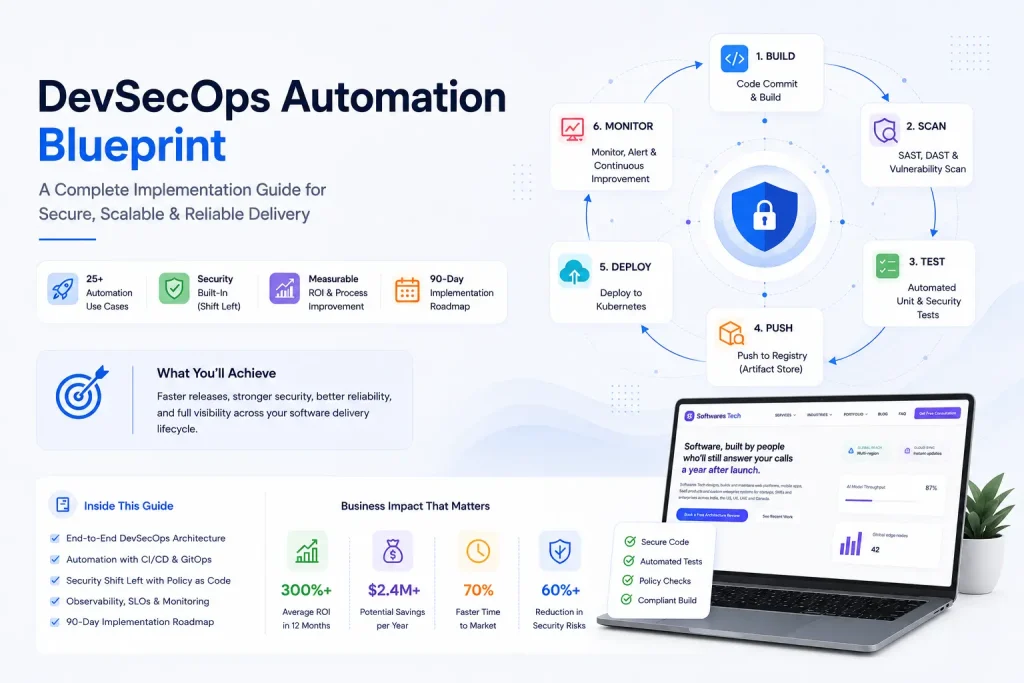
DevOps Best Practices in 2026: From CI/CD to Production Monitoring
If you've spent any real time on call, you already know that "DevOps" stopped being a job title years ago and became a shared...
