

The phone call I remember most from early in my career came at 11 PM on a Wednesday. The CTO of a mid-sized logistics company was on the line. They had just discovered that the off-the-shelf warehouse management software they’d spent $340,000 on couldn’t integrate with their legacy ERP. The vendor’s answer: a $180,000 “custom integration module” that would take 14 months to build. And even then, they wouldn’t own the code.
That’s a story I’ve heard hundreds of variations of in 18 years of building software. A business buys a packaged solution because it looks cheaper and faster. Two years later, they’re spending more on licensing, workarounds, and forced upgrades than a custom system would have cost. And they still can’t get the system to do exactly what their business needs.
Custom software development isn’t always the answer. But when your business has processes that don’t fit neatly into someone else’s product roadmap, when you need a competitive advantage that can’t be purchased off a shelf, or when the math simply works out — it’s the right answer. This guide covers everything you need to know to approach it intelligently.
What Is Custom Software Development?
Custom software development is the process of designing, building, deploying, and maintaining software specifically engineered for a particular organization’s needs, workflows, and business objectives.
The key distinction from off-the-shelf software (also called commercial off-the-shelf, or COTS) is ownership and fit. When you buy Salesforce, you’re renting access to a system built for millions of companies across thousands of industries — a system designed to be everything to everyone. When you build custom software, you’re building exactly what your business needs, and you own it outright.
Custom software covers a wide spectrum:
- Internal tools — workflow automation, inventory management, HR platforms, custom dashboards
- Customer-facing products — web applications, mobile apps, portals, marketplaces
- B2B platforms — SaaS products, partner portals, API platforms
- Enterprise systems — ERP replacements, CRM customizations, custom reporting engines
- Integrations — connecting systems that weren’t designed to talk to each other
In every case, the defining characteristic is the same: the software is built around your business processes, not the other way around.
Custom vs. Off-the-Shelf: The Honest Decision Framework
This is the most important decision you’ll make before writing a single line of code. The industry — both software vendors and development agencies — has strong incentives to push you in a particular direction. Here’s a framework that cuts through that noise.
| Factor | Off-the-Shelf | Custom Software |
|---|---|---|
| Initial cost | Lower (subscription or license) | Higher upfront investment |
| Time to first use | Days to weeks | Months to a year+ |
| Fit to your process | You adapt to the software | Software adapts to you |
| Total 5-year cost | Often higher (licensing + customization) | Lower (you own it) |
| Competitive advantage | None (competitors use the same tool) | Yes — proprietary capability |
| Scalability control | Vendor-dependent | Full control |
| Data ownership | Vendor holds data | You own all data |
| Integration flexibility | Limited to vendor APIs | Unlimited |
| Maintenance | Vendor-managed (updates forced) | Your control, your timeline |
| Vendor dependency risk | High — vendor discontinues, pivots, or raises prices | None |
Choose off-the-shelf when: Your need is generic (accounting, basic CRM, email marketing), you’re pre-product-market-fit and need speed, or your budget genuinely can’t support a custom build right now.
Choose custom when: Your process is genuinely unique, you’re spending more than $80K/year on SaaS licensing, you have integration nightmares between systems, you need a proprietary product as a business asset, or security and data residency requirements rule out cloud vendors.
The Rule of Differentiation: If the software process is a competitive differentiator — something your business does better than competitors — own the software that enables it. If it’s commodity (payroll, expense reports, basic accounting), buy the commodity solution.

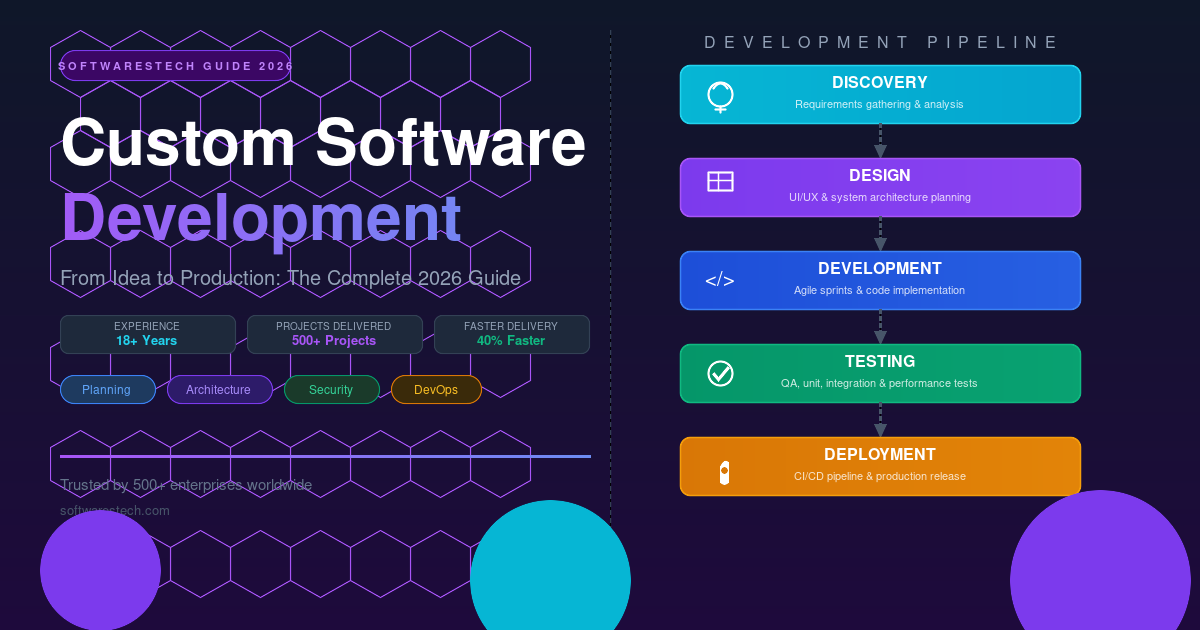
The Software Development Lifecycle: What Actually Happens
Most software projects fail not because of bad coding but because of failures in the phases before coding starts. Understanding what each phase involves — and why it matters — is the foundation of a successful project.
Phase 1: Discovery and Requirements
Before anyone opens a code editor, the team needs to understand what success looks like. This means structured discovery sessions with every stakeholder group: business owners who understand the goals, department heads who understand the workflows, and end users who will actually use the system.
Discovery produces three critical outputs: a requirements document that captures what the system must do (functional requirements) and how it must perform (non-functional requirements), a prioritized feature list that distinguishes must-haves from nice-to-haves, and a technical feasibility assessment that catches impossible or impractical requirements before they make it into a contract.
The single most expensive mistake in software projects is discovering a requirement conflict in the development phase that should have been caught in discovery. Fixing a requirement error costs 30x more after code is written than before. Invest here.
Phase 2: Design
Design means two parallel tracks. The architecture team designs the technical structure: how data flows, which services exist, how components communicate, what the database schema looks like, where security is enforced. The UX/UI team designs the user experience: wireframes, user flows, interaction patterns, and visual design.
These tracks must inform each other. A UX designer who promises a feature the architecture can’t efficiently support creates technical debt on day one. An architect who designs a system without considering usability builds something the users will route around.
Phase 3: Development
The actual coding phase. In modern custom software development, this runs in agile sprints — typically 2-week cycles where the team builds, reviews, and demonstrates working features. Stakeholders see real progress every two weeks rather than waiting 12 months for a “big reveal” that doesn’t match what they imagined.
This is also where the decisions from phases 1 and 2 pay off. Teams with clear requirements and solid architecture move fast. Teams with vague requirements and improvised architecture spend half their time in meetings clarifying what they’re building.
Phase 4: Testing and QA
Quality assurance isn’t a phase that happens at the end — it runs in parallel with development throughout the project. The testing pyramid applies: many unit tests (automated, fast, cheap), fewer integration tests (testing how components work together), and a small set of end-to-end tests (testing critical user journeys).
What gets tested: functional correctness (does it do what it’s supposed to?), performance (does it do it fast enough?), security (can it be exploited?), and usability (can users actually figure out how to use it?). Security testing, in particular, is chronically underinvested in custom software projects and chronically expensive when discovered post-launch.
Phase 5: Deployment
Getting software from a development environment to production used to require weekends, downtime notices, and crossing fingers. With modern DevOps practices — CI/CD pipelines, containerization, blue-green deployments — production releases can happen in minutes with zero downtime. More on this later.
Phase 6: Maintenance and Evolution
Software is never “done.” Business requirements evolve, user feedback reveals gaps, technology stacks need updating, security vulnerabilities are discovered. Budget for ongoing maintenance from day one: typically 15–25% of the initial development cost per year. Teams that don’t budget for this are continuously surprised by it.

Software Architecture: Getting the Foundation Right
From an architectural perspective, the decisions made in the first week of a project shape every decision for the next five years. Architecture isn’t about choosing the coolest technology — it’s about making trade-offs that match your specific context: team size, budget, traffic scale, compliance requirements, and planned growth.
Monolith vs. Microservices
The monolith vs. microservices debate has generated more arguments in engineering teams than any other architectural question. Here’s the pragmatic answer: start with a well-structured monolith for most custom software projects.
Microservices architecture — where an application is split into dozens of independent, separately-deployable services — makes sense at scale, with large engineering teams, for systems with dramatically different scaling requirements across components. For a team of 5 engineers building a business application serving 10,000 users, microservices adds enormous operational complexity with minimal benefit.
A modular monolith — one codebase with clear internal service boundaries, a layered architecture, and a clean separation between domain logic and infrastructure — delivers most of the organizational benefits of microservices without the distributed systems tax. If the application later needs to scale to the point where microservices make sense, the modular structure makes extraction straightforward.
Choosing the Right Technology Stack
Technology stack decisions are often made for the wrong reasons: what a developer already knows, what’s trending on Hacker News, or what the previous CTO used. The right approach starts with requirements.
For the frontend: React dominates for complex, interactive web applications. It has the largest ecosystem, the most available developers, and strong long-term support. Vue is a strong choice for smaller teams or projects where you want a gentler learning curve. Angular fits enterprises with strict TypeScript requirements and Java-centric teams. For simple content-heavy sites, Next.js (built on React) with server-side rendering delivers excellent SEO performance.
For the backend: Node.js (JavaScript/TypeScript) excels for real-time applications, API-heavy services, and teams that want to share language across frontend and backend. Python with Django or FastAPI is the default for data-intensive applications, machine learning integrations, and teams with data science requirements. Java with Spring Boot remains the standard for enterprise environments with strict type safety, compliance, and legacy system integration requirements. Go is increasingly popular for high-throughput API services where raw performance matters.
For databases: PostgreSQL for relational data with complex queries — it handles 95% of use cases exceptionally well. MongoDB for genuinely document-oriented data with flexible schemas. Redis for caching, session storage, and real-time pub/sub. Elasticsearch for full-text search. The biggest mistake: using a NoSQL database for relational data to avoid defining a schema, then spending months building schema validation in application code.
For infrastructure: AWS is the default choice — largest service catalog, most available engineers, strongest documentation. Google Cloud is the right choice for ML/AI workloads and teams deeply invested in Google tooling. Azure is the right choice for Microsoft-centric enterprises with Azure Active Directory, Office 365, and .NET ecosystems.
API-First Design
One architectural decision that consistently delivers long-term value: design your system API-first. Define your API contracts — what endpoints exist, what data they accept and return, what error codes they use — before implementing them. This enables frontend and backend teams to work in parallel, makes third-party integrations straightforward, and positions the system for mobile apps and future consumer surfaces without re-architecture.
REST APIs remain the default for most custom software (simple, widely understood, excellent tooling). GraphQL is worth considering for applications with complex, nested data requirements where frontend teams need flexible querying. gRPC is the right choice for high-performance internal service communication.
Planning and Discovery: What Sets Successful Projects Apart
Here’s where most software projects fail: not in development, not in technology choices, but in the weeks before development starts. The correlation between thoroughness in the discovery phase and project success is stronger than any other variable I’ve observed across hundreds of projects.
Requirement Gathering That Actually Works
Effective requirement gathering is a skill. It’s not about writing down what stakeholders say they want — it’s about understanding what they actually need. These are often different things.
A retail client once asked for “a better search function on our website.” Three discovery sessions later, the real requirement emerged: they needed a way to search inventory by attributes that their database didn’t store. The search function was the symptom; the data model was the problem. Building a better search on bad data would have solved nothing.
Techniques that work: user story mapping (walk through the user’s journey end-to-end rather than listing features in isolation), event storming (map every event that happens in the system to understand data flows and dependencies), and jobs-to-be-done interviews (ask “what job are you trying to accomplish?” rather than “what features do you need?”).
Defining Success Before You Start
Every custom software project should begin by answering two questions: How will we know if this project succeeded? How will we know if it failed?
These should be measurable answers. “Users will be able to complete an order in under 60 seconds” is measurable. “The system will be user-friendly” is not. “Customer support tickets related to the billing process will decrease by 40%” is measurable. “The billing process will be improved” is not.
Defining measurable success criteria upfront does two things: it focuses the development team on building what actually matters rather than what’s easiest to build, and it protects against scope creep by giving the team a clear filter for evaluating whether a new feature request serves the project’s core objectives.
Agile Planning in Practice
Agile has been so heavily marketed that the actual practice has been buried under ceremony and jargon. What actually works:
Break the project into a prioritized backlog of user stories — “As a warehouse manager, I need to see incoming shipments by priority so that I can schedule dock assignments efficiently.” Estimate each story in story points (relative complexity, not hours). Plan 2-week sprints. After each sprint, demonstrate working software to stakeholders. Adjust priorities based on feedback. Repeat.
What doesn’t work: calling yourself “agile” while running a fixed-scope, fixed-timeline project with no room for discovery. That’s waterfall with a scrum board. The most valuable part of agile isn’t the ceremonies — it’s the feedback loop that lets you course-correct based on real software with real users before you’ve spent the full budget.

Cost, Timeline, and ROI: The Business Reality
Let’s talk about the numbers. This is the section most software agencies gloss over because honest cost conversations are uncomfortable. We don’t think that serves anyone well.
What Custom Software Actually Costs
| Project Type | Complexity | Typical Range | Timeline |
|---|---|---|---|
| Internal tool / admin panel | Low | $15,000 – $50,000 | 6–12 weeks |
| Customer portal / web app | Medium | $50,000 – $150,000 | 3–6 months |
| Mobile app (iOS + Android) | Medium–High | $80,000 – $250,000 | 4–8 months |
| SaaS platform (MVP) | High | $150,000 – $400,000 | 6–12 months |
| Enterprise ERP / custom platform | Very High | $400,000 – $2M+ | 12–24 months |
These ranges reflect the work a professional team actually needs to do — requirements gathering, design, development, testing, security review, deployment, and a reasonable warranty period. Projects quoted significantly below these ranges either cut corners on quality, underscope the requirements, or both. Projects that go significantly over these ranges usually have scope that wasn’t properly defined upfront.
The ROI Calculation
The business case for custom software investment isn’t complicated, but it requires honesty about what you’re currently spending — directly and indirectly — on the problem the software will solve.
Consider a manufacturing company spending $180,000/year on a team of 4 people manually processing orders, reconciling inventory, and generating reports that could be automated. A $250,000 custom operations platform eliminates 80% of that manual work — saving $144,000/year. The system pays for itself in under 24 months and generates $720,000 in labor savings over 5 years, on top of the accuracy improvements and elimination of manual error costs.
The ROI calculation should include: labor savings (automation), error reduction (fewer costly mistakes), licensing savings (replacing SaaS tools with owned software), revenue impact (faster processes, better customer experience), and competitive advantage (capabilities competitors can’t easily replicate).
How to Evaluate a Software Development Partner
The quality of your development partner is the single biggest variable in whether your custom software project succeeds. Code quality, project management discipline, communication, and domain understanding all live in the team, not in any tool or framework.
What to look for: a portfolio of completed projects in adjacent industries or technical domains; genuine references you can contact, not testimonials from a website; a clear discovery and requirements process (partners who start coding in week one haven’t done the work); transparent pricing with a detailed breakdown; and senior engineers who can explain architecture decisions in plain language.
Red flags: agencies that guarantee fixed-price, fixed-scope projects without a proper discovery phase; teams that recommend the same technology stack regardless of your requirements; partners who can’t explain why they made specific architecture decisions; and contracts that don’t define who owns the source code.
UI/UX: The Part That Determines Whether Anyone Uses It
I’ve seen technically excellent software fail in production because users couldn’t figure out how to use it. I’ve also seen relatively simple software become deeply embedded in an organization’s culture because the UX was thoughtfully designed around how people actually work.
User experience in custom software isn’t about making things pretty — it’s about reducing friction between a user’s intent and the system’s response. In a business context, every second of unnecessary friction multiplies across every user, every day, for years.
User Research Before Wire-framing
Before a designer draws a single wireframe, the team should understand who the users are, what they’re trying to accomplish, and what obstacles currently get in their way. For internal tools, this means shadowing users in their actual work environment, not interviewing them in a conference room. The software you see people use in a warehouse, a call center, or a hospital is almost never the system described in the requirements document — it’s a creative workaround built from spreadsheets, Post-it notes, and institutional knowledge.
Those workarounds are design requirements. They tell you where the existing system fails. Custom software built around a deep understanding of real user behavior is the kind of software that gets adopted enthusiastically rather than grudgingly.
Accessibility as a Default
WCAG 2.1 AA compliance isn’t optional for most custom software anymore. Government contracts increasingly require it. Enterprise clients include it in procurement requirements. And beyond compliance, accessible software is simply better software — clearer typography, better color contrast, keyboard navigation, and screen reader support benefit every user, not just users with disabilities.
Building accessibility in from the start adds perhaps 15% to design and development time. Retrofitting it after launch typically costs 3–5x that, plus the risk of legal exposure in the interim.
Backend Development: Where Business Logic Lives
The backend is the part of your software that most users never see and that determines everything about whether the visible parts work well. It’s where business rules are enforced, data is stored and retrieved, external systems are integrated, and security is controlled.
Domain-Driven Design
One lesson experienced teams learn quickly: code that directly mirrors the business domain is dramatically easier to maintain than code organized around technical patterns. Domain-Driven Design (DDD) is a set of principles for structuring software around the business concepts — entities, services, and workflows — rather than around database tables or framework conventions.
In practice, this means the code for your Order Service looks like an Order domain expert wrote it. An Order class has methods like confirm(), cancel(), and addLineItem() — not database CRUD methods. When a business rule changes (“orders over $10,000 need a second approval”), the code change is in exactly one place: the Order domain model. Not scattered across 15 controller methods that each implement their own version of the rule.
API Design That Scales
An API is a contract. Once external clients — mobile apps, partner systems, third-party integrations — depend on an endpoint, changing it breaks their code. API design decisions made in month 1 of a project persist for years.
RESTful API best practices: use nouns, not verbs in endpoint paths (/orders/123, not /getOrder?id=123). Use HTTP methods semantically (GET for retrieval, POST for creation, PUT/PATCH for updates, DELETE for deletion). Return appropriate HTTP status codes. Use pagination for collection endpoints. Version your APIs from day one (/api/v1/) so you can make breaking changes without breaking existing clients. Document every endpoint with request/response examples — OpenAPI/Swagger makes this automatic if you wire it into your framework.
Caching for Performance
The fastest database query is the one you never make. Caching — storing computed results so they can be returned without re-computation — is one of the most impactful performance levers in custom software.
Redis is the standard choice for application-level caching: session storage, frequently-accessed lookup tables, expensive query results, rate limiting counters. The key decisions: what to cache (high-read, low-write data), how long to cache it (TTL based on how often the data changes), and how to invalidate it (event-driven invalidation when the underlying data changes, rather than time-based expiry where possible).

Security Best Practices: Built In, Not Bolted On
Security built into software from the beginning costs a fraction of security added after the fact — and a small fraction of what a security breach costs. The average data breach in 2024 cost $4.88 million according to IBM’s Cost of a Data Breach report. For a custom software project with a $200,000 budget, that math should make security investment a straightforward decision.
Authentication and Authorization
Authentication answers “who are you?” Authorization answers “what are you allowed to do?” These are different problems and require different solutions.
For authentication in 2026, the baseline is: multi-factor authentication (MFA) for all user accounts, OAuth 2.0 with PKCE for third-party authentication flows, JWT tokens with short expiry windows (15 minutes access tokens, 7-day refresh tokens stored in httpOnly cookies), and account lockout after repeated failed attempts.
For authorization: Role-Based Access Control (RBAC) is the right model for most enterprise custom software — users are assigned roles, roles are assigned permissions, and every action is checked against the user’s permissions at the application layer, not just in the UI. Attribute-Based Access Control (ABAC) extends this to more fine-grained scenarios: “a user can edit a record only if they created it and it’s in Draft status.”
OWASP Top 10 as a Checklist
The OWASP Top 10 is a list of the most critical web application security risks, updated every few years based on real breach data. Every custom web application should have explicit mitigations for each item on the list, verified through security testing before launch:
- Injection (SQL, NoSQL, Command): Use parameterized queries and ORMs — never string-concatenate user input into queries
- Broken Authentication: Implement MFA, secure session management, and proper password hashing (bcrypt or Argon2)
- Sensitive Data Exposure: Encrypt data at rest (AES-256) and in transit (TLS 1.3), never log sensitive fields
- XML External Entities: Disable XML external entity processing in XML parsers
- Broken Access Control: Server-side permission checks on every request — never trust client-side access control
- Security Misconfiguration: Automated security scanning of infrastructure configurations in CI/CD pipeline
- Cross-Site Scripting (XSS): Context-aware output encoding, Content Security Policy headers
- Insecure Deserialization: Validate and sanitize all deserialized data, avoid Java serialization in network protocols
- Using Components with Known Vulnerabilities: Automated dependency scanning (Snyk, Dependabot) in CI pipeline
- Insufficient Logging and Monitoring: Centralized logging, alerting on authentication failures and access control violations
Data Protection and Compliance
If your software handles personal data (and most business software does), compliance with privacy regulations isn’t optional. GDPR applies if you have any EU users. CCPA applies to California residents. HIPAA applies to any US healthcare data. PCI DSS applies to credit card processing.
The good news: software designed with privacy-by-design principles — data minimization, purpose limitation, user control, and transparent processing — usually satisfies most regulatory requirements without heroic effort. The expensive mistakes happen when compliance is retrofitted onto a system that was designed without it in mind.
Performance Optimization: Building for Real-World Load
Performance problems in custom software almost always trace back to one of three sources: inefficient database queries, missing or misconfigured caching, or blocking operations in request paths where they don’t belong. Getting performance right isn’t about premature optimization — it’s about building a foundation that doesn’t require expensive re-architecture when real traffic arrives.
Database Performance
The most common performance issue in custom software: N+1 queries. This is where code makes one query to fetch a list of records, then makes N additional queries to fetch related data for each record — one-by-one in a loop. For 100 records, that’s 101 database round-trips instead of 2. For 10,000 records in production, it’s a page that takes 45 seconds to load instead of 200 milliseconds.
Fix: eager loading (fetch related data in the initial query with JOINs or batch queries), proper database indexing (analyze query plans with EXPLAIN ANALYZE), and query optimization (often 80% of slow queries can be fixed with an index or a query rewrite rather than hardware upgrades).
Asynchronous Processing
Not every operation needs to complete before the user sees a response. Sending a welcome email when a user registers doesn’t need to happen synchronously — the user doesn’t need to wait for the email server. Generating a PDF report, processing a batch import, sending push notifications, updating analytics — all of these should happen in background job queues (Celery, Sidekiq, Bull) rather than in the request path.
Moving long operations out of the request path is often the single highest-impact performance improvement available in a struggling custom application. A checkout that took 8 seconds because it synchronously pinged three external APIs drops to 400 milliseconds when those external calls are offloaded to a background queue.
Scalability: Designing for Growth
This trade-off becomes important when your user base grows faster than expected. The best custom software architecture for a 500-user internal tool is very different from the architecture for a SaaS platform targeting 500,000 users. Designing too far ahead creates unnecessary complexity; designing too near-sightedly creates painful re-architecture.
The pragmatic approach: design for 10x your current load using standard architectural patterns (horizontal scaling, stateless services, read replicas), and explicitly document the architectural changes needed to scale to 100x. Don’t implement the 100x architecture until you need it — but know what it looks like so you don’t build patterns that block it.
Key scalability levers: horizontal scaling (add more servers rather than bigger servers), stateless application servers (no session state stored in memory — use Redis), database read replicas (scale read-heavy workloads without touching the write path), CDN for static assets (images, CSS, JavaScript served from edge nodes close to users), and load balancing with health checks (automatically route around failed instances).
Testing and Quality Assurance
Quality in custom software isn’t what you add at the end — it’s what you build into the process from the beginning. Teams that treat testing as an afterthought spend more time fixing bugs in production than teams that test continuously throughout development.
The Testing Pyramid
The testing pyramid describes the right distribution of test types: many unit tests at the base (fast, cheap, isolated), fewer integration tests in the middle (test component interactions), and a small number of end-to-end tests at the top (test complete user journeys).
Teams that invert this pyramid — many slow, expensive E2E tests and few unit tests — end up with test suites that take hours to run and break constantly due to environmental flakiness. Teams with a healthy pyramid have test suites that run in minutes, catch real bugs early, and give developers confidence to refactor without fear.
Test-Driven Development
TDD — writing tests before writing the implementation code — is the most reliable way to ensure software does what it’s supposed to do. It forces developers to think about requirements and edge cases before implementation, produces naturally testable code, and prevents the “we’ll add tests later” pattern that never actually happens in a busy development team.
TDD isn’t appropriate for every context — exploratory UI code, prototypes, and certain types of integration work don’t benefit from it. But for core business logic — the calculations, validations, and decision trees that determine whether your software is correct — TDD produces demonstrably better outcomes.
Automated Security Testing
Security testing should run in the CI/CD pipeline automatically, not as a one-off engagement at launch. SAST (Static Application Security Testing) tools like SonarQube analyze code for known vulnerability patterns. Dependency scanners (Snyk, npm audit) catch vulnerable library versions. DAST (Dynamic Application Security Testing) tools probe a running application for exploitable vulnerabilities. These tools don’t replace a professional penetration test for high-risk applications — but they catch the majority of common vulnerabilities automatically, on every commit.

DevOps and Deployment: Shipping With Confidence
In production environments, how you deploy software matters as much as what you deploy. Teams without disciplined deployment processes either deploy rarely (because each deployment is risky and stressful) or frequently with incidents (because there’s no quality gate between development and production).
CI/CD Pipelines
Continuous Integration means every code change is automatically built, tested, and validated as soon as it’s pushed to the repository. Continuous Deployment means passing changes are automatically deployed to production. Together, they transform deployment from a high-risk, manually-coordinated event to a routine, automated process that happens dozens of times per day.
A well-designed CI/CD pipeline for custom software: code push triggers the pipeline → unit tests run (fail fast, less than 2 minutes) → integration tests run → security scans run → Docker image is built → image is pushed to registry → staging deployment triggered → smoke tests run against staging → manual approval gate (for high-risk changes) → production deployment → health checks confirm success → alert team if anything fails at any stage.
Containerization with Docker
Docker containers package an application and all its dependencies into an immutable, portable unit. The same container runs identically in development, staging, and production — eliminating the “it works on my machine” class of deployment failures. Containers also make scaling precise: deploy 10 instances of the API container when traffic spikes, scale back to 2 when it subsides, and pay only for what you run.
Cloud Infrastructure
Before writing a single line of code, the team should have a clear infrastructure target — which cloud provider, which services, and how the environment will be managed. Infrastructure as Code (Terraform, AWS CDK) means your entire cloud environment is defined in version-controlled configuration files. You can recreate a production-equivalent environment from scratch in minutes, disaster recovery becomes a code deployment rather than a heroic manual operation, and infrastructure changes go through the same review process as application code.
Monitoring and Maintenance: The Long Game
Software in production is a living system. It degrades, it encounters edge cases that testing didn’t anticipate, it faces traffic patterns nobody predicted, and it needs to evolve as the business it serves evolves. Monitoring is how you know what’s happening; maintenance is how you keep the system healthy.
Observability in Practice
Three tools are the foundation of production observability. Logs — structured (JSON format) log events from every component of the application, centralized in a log aggregation service (Datadog, ELK stack, CloudWatch). Metrics — time-series measurements of system behavior: request rate, error rate, latency percentiles (P50, P95, P99), database query time, queue depth. Traces — distributed traces that follow a single request through every component it touches, making it possible to see exactly where latency or errors originate in complex systems.
The practical test of your observability setup: can your on-call engineer, receiving a 3 AM alert that “checkout is slow,” diagnose the root cause in under 10 minutes using the monitoring tools? If the answer is no, your observability needs work.
Ongoing Maintenance Budget
One of the most common mistakes clients make after launching custom software: treating it as a capital expense that’s “done” rather than an ongoing operating cost. Software requires maintenance. Dependencies need security updates. Bugs discovered in production need fixes. Performance degrades as data grows and requires optimization. New browser versions and operating system updates break things that previously worked.
Budget for ongoing maintenance from the project outset: 15–20% of the initial development cost per year is a reasonable baseline for a stable, mature system. Systems with active feature development need more. Having a maintenance contract with your development partner ensures these issues get addressed promptly rather than accumulating into a crisis.
Common Mistakes That Derail Custom Software Projects
After working on hundreds of custom software projects, the failure modes are remarkably consistent. These aren’t exotic edge cases — they’re patterns that appear in project after project when teams don’t explicitly guard against them.
Scope creep without budget adjustment. “Can we just add one more feature?” is the most expensive question in software development. Feature requests mid-project aren’t inherently bad — they’re often the result of stakeholders getting their first real look at working software and realizing what they actually need. The mistake is adding features without adjusting budget and timeline. Every addition has a cost. Transparent scope management means quantifying that cost and making a conscious decision rather than letting the project quietly absorb it.
Building for the first user instead of the thousandth. Early-stage requirements interviews naturally surface what users need on day one. But custom software that serves a business for 5 years needs to handle the edge cases that emerge in year 2, the scale that arrives in year 3, and the workflow variations that appear in year 4. Architecture that accommodates growth from the beginning is dramatically cheaper than architecture that has to be re-written to handle it.
Neglecting data migration. If your custom software replaces an existing system, the data migration is often the hardest and most expensive part of the project — and it’s almost always underestimated. Historical data is messy. Data models don’t map cleanly between systems. Business rules encoded in spreadsheet formulas need to be understood and replicated. Budget for data migration explicitly, plan for multiple migration dry runs in staging, and expect it to take longer than the estimate.
Insufficient user training and change management. The best software in the world fails if users don’t adopt it. Adoption requires training, documentation, and change management — helping people understand not just how to use the new system, but why the new system is better than their existing approach. Custom software projects that budget for go-live support (having team members available to answer questions during the first weeks of real use) have dramatically higher adoption rates than those that expect users to figure it out.
Choosing a development partner based on price. The cheapest software quotation is almost never the cheapest software project. Teams that bid low to win the contract make up the difference in change orders, scope disagreements, extended timelines, and quality problems that require expensive remediation. The cost of a failed software project — direct costs, opportunity costs, and the cost of starting over — far exceeds the savings from choosing the lowest bidder. Choose on capability, process, and track record.
Real-World Industry Applications
Healthcare: Patient Management Platform
A regional hospital network with 12 facilities was running patient scheduling on a legacy system that couldn’t integrate with their new EHR. Appointment data lived in one system, clinical notes in another, billing in a third. Staff spent 40% of their time on data re-entry between systems.
The custom solution: a unified care coordination platform that integrated all three systems via HL7 FHIR APIs, automated appointment reminders (reducing no-shows by 34%), and gave clinical staff a single view of patient data across all facilities. HIPAA compliance was built into the data architecture from day one. The system processed 200,000 appointments in its first year with zero data breaches. Staff time on administrative data entry dropped from 40% to 8%.
Logistics: Real-Time Freight Tracking
A national freight carrier’s customer service team was fielding 3,000 “where’s my shipment?” calls per day — calls that required agents to manually check three separate tracking systems, reconcile discrepancies, and relay information that was often hours out of date.
Custom software pulled real-time data from all carrier APIs, customer portals, and internal systems into a unified tracking platform with a customer-facing self-service portal. Customer service calls dropped 72% in the first quarter. Customer satisfaction scores improved 28 points. The carrier redirected the freed-up agent capacity to proactive exception management — contacting customers when deliveries were at risk, rather than waiting for them to call.
Manufacturing: Predictive Maintenance System
A pharmaceutical manufacturer’s equipment maintenance team operated on fixed schedules: service every 90 days regardless of equipment condition. This led to both unnecessary maintenance (servicing equipment that didn’t need it) and failures between scheduled windows (equipment that needed service but wasn’t due for 40 days).
IoT sensors on critical equipment fed real-time vibration, temperature, and performance data to a custom ML model that predicted equipment failures 2–4 weeks in advance with 87% accuracy. Unplanned downtime decreased 61%. Maintenance costs dropped 23%. The ROI on the system was achieved in 11 months.
Future Trends in Custom Software Development
AI-Augmented Development
AI coding assistants (GitHub Copilot, Claude Code, Cursor) are changing how custom software is built, not what gets built. Development teams using AI assistance consistently report 20–40% productivity improvements on routine coding tasks — boilerplate, test generation, documentation. The humans still make the architecture decisions, understand the business requirements, review the code, and own the quality. The tools accelerate execution.
More strategically significant: AI is enabling custom software projects that previously required ML expertise to be done by standard engineering teams. Sentiment analysis, document classification, anomaly detection, and natural language search can now be integrated into custom software using API-based AI services (OpenAI, Anthropic, Google Gemini) without building or training custom models.
Low-Code Platforms for Internal Tools
Tools like Retool, Appsmith, and Bubble are genuinely useful for a specific class of custom software: internal admin tools with straightforward CRUD requirements, moderate traffic, and team-internal users. For these scenarios, low-code can deliver working software in days that would take weeks with traditional development.
The limitation is the same as off-the-shelf software: when your requirements exceed the platform’s capabilities, you hit walls. Low-code platforms are the right choice for simple internal tools; they’re rarely the right choice for customer-facing products or systems with complex business logic.
Edge Computing
As more custom software runs on devices at the edge — IoT sensors in factories, medical devices in hospitals, point-of-sale terminals in retail — the architecture patterns for these applications are maturing. Edge-cloud hybrid architectures, where time-sensitive processing happens on-device and data is synchronized to cloud infrastructure, are becoming standard in industrial IoT, autonomous systems, and latency-sensitive consumer applications.
Platform Engineering
Organizations with multiple custom software projects are increasingly investing in internal developer platforms — standardized infrastructure, security controls, deployment pipelines, and observability tooling that new projects inherit rather than build from scratch. This significantly reduces the time from idea to production-ready software for subsequent projects. Organizations that have invested in internal platforms consistently deliver new custom software in 40–60% less time than organizations starting from scratch with each project.
Frequently Asked Questions
How long does it take to build custom software?
Timeline depends heavily on scope and complexity. A simple internal tool might take 6–10 weeks. A customer-facing web application typically takes 3–6 months. An enterprise platform with complex integrations and workflow can take 12–24 months. The biggest driver of timeline is requirements clarity — projects with thoroughly documented requirements and stable scope consistently deliver closer to initial estimates than projects where requirements evolve significantly during development.
Do I own the code after the project is done?
You should — and verifying this before signing a contract is critical. The contract should explicitly state that you own 100% of the source code, intellectual property, and all work product created during the engagement. Some agencies retain ownership of reusable frameworks or components they bring to the project (which is reasonable) while assigning you ownership of the custom code written for your project specifically. Read this section of any contract carefully, and have a lawyer review it if the project is significant.
What happens if the development partner closes or pivots?
This is a legitimate risk that smart clients mitigate with a few practices: ensure you hold the repository (not the agency), require regular handoff of all code, documentation, and credentials, and build the system using well-documented open-source technology so another team can take it over. Contracts should include provisions for a “knowledge transfer” period at project end, delivering everything you need to maintain and extend the software with any future team.
Should I build mobile apps natively or cross-platform?
For most custom software projects: cross-platform with React Native or Flutter. These frameworks deliver near-native performance, share 80–90% of code between iOS and Android, and reduce development cost by 30–40% compared to building separate native apps. Native development (Swift for iOS, Kotlin for Android) is the right choice for applications that need deep hardware integration (camera, ARKit/ARCore, Bluetooth), extremely high performance, or platform-specific features that cross-platform frameworks don’t support well.
How do we handle data migration from our existing system?
Data migration is a project within the project and needs explicit planning. The approach: extract data from the source system (usually via database export or existing APIs), transform it into the target schema (cleaning, deduplicating, and mapping fields), validate it against business rules, and load it into the new system. Run this process multiple times in a test environment before the production cutover. The production migration should be a rehearsed, well-documented procedure, not an improvised event.
What’s the difference between MVP and fully-featured software?
A Minimum Viable Product (MVP) is the smallest version of the software that delivers value to real users and allows you to validate core assumptions before investing in the full system. For a SaaS startup, it might be 20% of the planned features. For an internal tool, it might be the single most painful workflow, automated. MVP development discipline — ruthlessly cutting scope to the core — consistently produces better outcomes than building everything upfront, because you learn from real users what actually matters before spending the full budget.
Key Takeaways
- Custom software is a strategic investment, not a cost — evaluate it with a 3–5 year ROI lens, not the initial price tag
- Discovery is the highest-ROI phase — thorough requirements work prevents the expensive surprises that derail projects mid-build
- Architecture decisions in week 1 shape year 5 — invest in qualified architects who can explain trade-offs, not just implement patterns
- Security must be built in, not bolted on — budget for it explicitly from the beginning, including ongoing security scanning in CI/CD
- Agile works when it’s real — 2-week sprints with working software demonstrations and genuine feedback loops, not waterfall with sticky notes
- Testing is continuous, not a phase at the end — automated test suites, security scanning, and performance testing integrated into CI/CD pipelines
- DevOps discipline transforms deployment from a high-risk event to a routine, automated process
- Maintenance is not optional — budget 15–20% of development cost annually for a healthy, secure, evolving system
- Choose partners on capability and process, not price — the cheapest quote rarely produces the cheapest outcome
- You must own your code — verify IP ownership explicitly in every contract before signing
Custom software development, done well, creates business assets that compound in value over time — systems that embed your processes, protect your data, and give you capabilities your competitors can’t replicate by purchasing the same SaaS subscription. Done poorly, it creates technical debt, operational risk, and expensive re-work.
The difference between those outcomes isn’t luck. It’s disciplined planning, an experienced team with real accountability, and a development process built around continuous feedback rather than one-shot delivery.
At SoftwaresTech, we’ve built custom software for startups, SMEs, and enterprise organizations across healthcare, fintech, logistics, manufacturing, and retail. Every project starts with an honest conversation about whether custom software is actually the right answer — and if it is, we’ll show you exactly what we’d build, why, and what it will realistically take to get there. Start that conversation here.
Further Reading
For industry benchmarks and additional context, we recommend the ThoughtWorks Enterprise Modernisation.
Need Help Building Your Next Digital Product?
From web and mobile apps to cloud infrastructure and AI-powered platforms — our engineers can help you plan, build and scale with confidence.
Related Articles
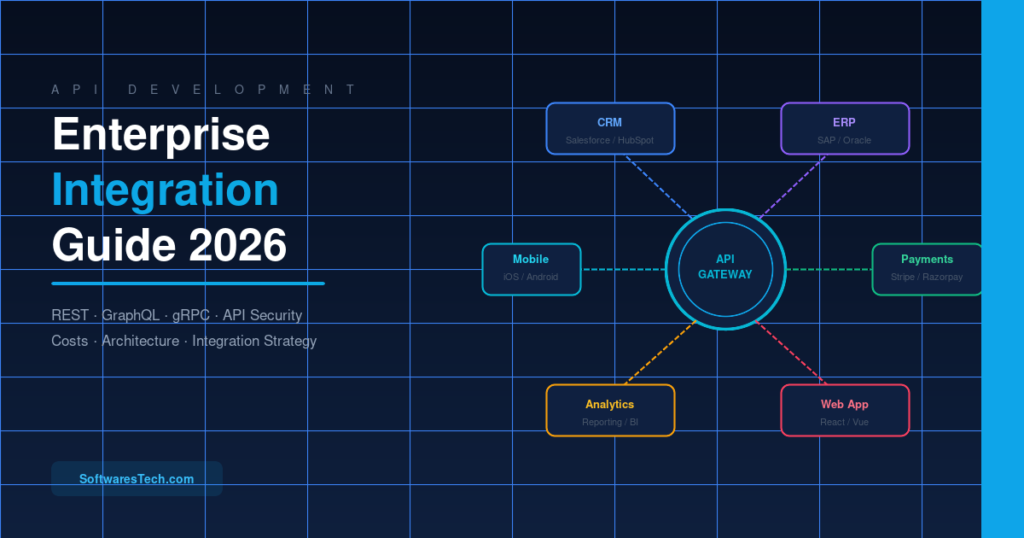
API Development for Businesses: The Complete Enterprise Integration Guide (2026)
This is the complete guide to API development for businesses — written for CTOs, engineering managers, and business owners who need to make real...

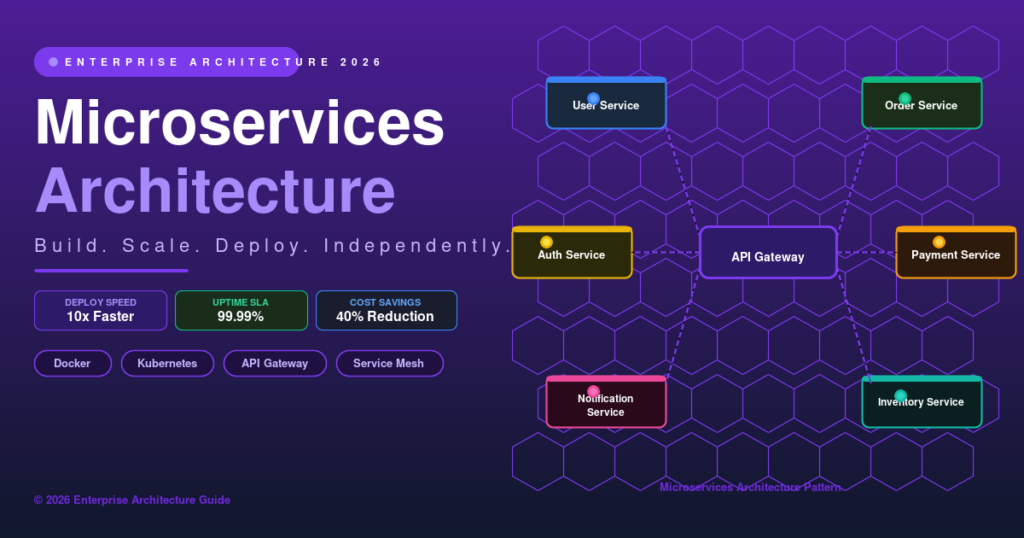
Microservices Architecture: The Complete Engineering Guide for 2026
A complete, practical guide to microservices architecture — covering service communication, data management, security, Kubernetes deployment, observability and real-world migration patterns for 2026.
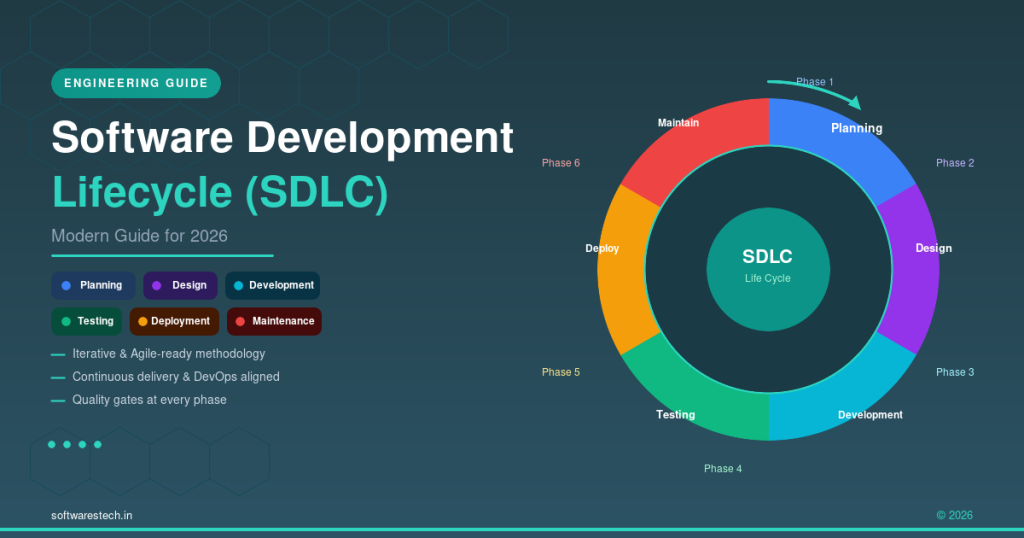
Modern Software Development Lifecycle (SDLC) Guide for 2026
How the six SDLC phases are evolving in 2026, with practical guidance on methodologies, AI-assisted coding, architecture choices, and testing.