

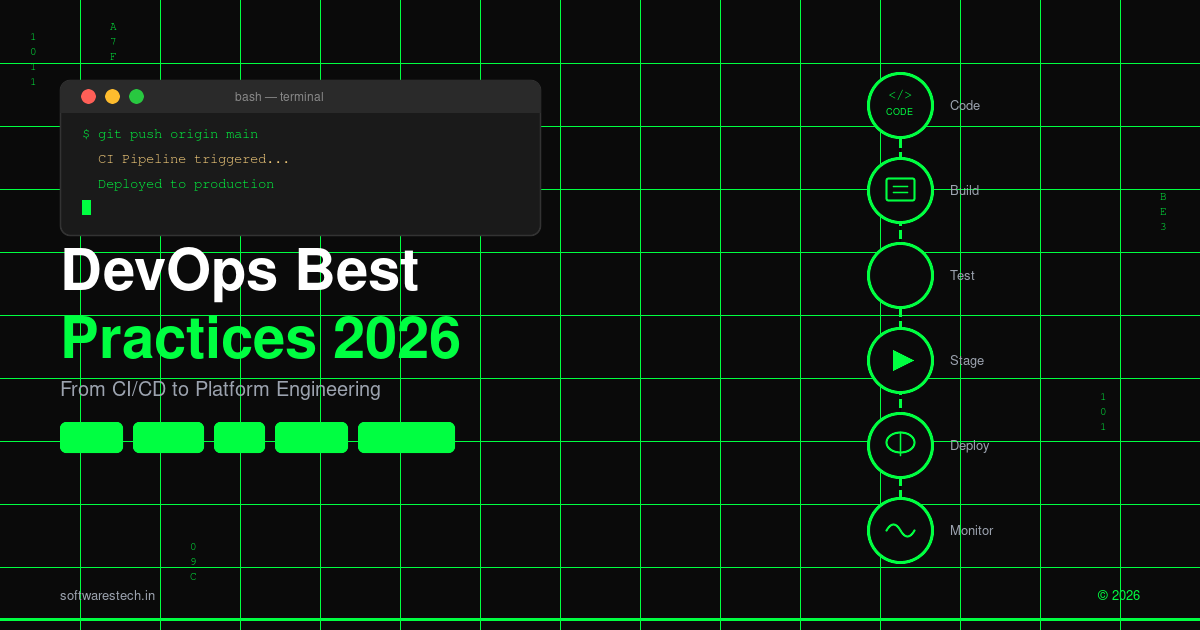
Written by the Softwarestech DevOps Engineering Team — reviewed by Senior Site Reliability Engineers (SREs). Last updated: June 2026.
We’ve spent the last few years migrating clients off hand-rolled Jenkins pipelines and onto GitOps-based platforms, and the pattern is always the same: the teams that struggle aren’t the ones with bad engineers, they’re the ones still treating deployments as an event instead of a continuous, automated state. This guide is built from what’s actually working for our clients right now, not from a vendor roadmap slide.
On This Page
- From DevOps Engineers to Platform Engineering Teams
- Modern CI/CD Pipeline Design
- GitOps and Declarative Infrastructure
- Containerization and Kubernetes in 2026
- Infrastructure as Code: Terraform, OpenTofu, Drift Detection
- Observability Beyond Logs and Metrics
- DevSecOps: Shifting Security Left
- AI-Assisted DevOps: Where AIOps Delivers Value
- Two Examples From Recent Client Work
- Building a Roadmap: Where to Start
- Frequently Asked Questions

Key Takeaways
- Platform engineering is replacing generalist DevOps roles — internal developer platforms (IDPs) now handle the repetitive provisioning work that used to eat a DevOps engineer’s week.
- Following devops best practices in 2026 means pipeline-as-code by default — GitHub Actions and GitLab CI have largely displaced Jenkins for new projects, though Jenkins still runs plenty of legacy pipelines.
- GitOps turns your Git repo into the single source of truth — tools like Argo CD and Flux can cut deployment time from days to minutes by removing manual approval bottlenecks.
- Kubernetes isn’t free, and it isn’t always the right call — managed K8s reduces operational overhead, but smaller workloads often run cheaper and simpler on serverless containers.
- Infrastructure as Code needs drift detection, not just provisioning — Terraform and OpenTofu catch configuration drift before it causes an outage.
- Observability has moved past dashboards full of metrics — OpenTelemetry-based distributed tracing is now table stakes for diagnosing issues in microservices architectures.
- Security has to live inside the pipeline, not bolt onto the end — DevSecOps practices like SAST, SCA, and container scanning catch problems before they reach production.
- AI is now doing real work in the pipeline — from anomaly detection in monitoring data to AI-assisted PR reviews, AIOps tools are cutting incident response times measurably.
If you’re a CTO or engineering lead trying to figure out where to invest your DevOps budget this year, the honest answer is that “DevOps” as a discipline has quietly split into two things: the platform you build once and reuse everywhere, and the practices your application teams follow on top of it. That split is the foundation for nearly every decision in this guide to devops best practices 2026, so let’s start there.
From DevOps Engineers to Platform Engineering Teams
For about a decade, “DevOps engineer” meant one person (or a small team) who owned CI/CD pipelines, managed servers, configured monitoring, and got paged at 2am when something broke. That model doesn’t scale past a certain point, and most growing companies hit the wall around 30-50 engineers.
What’s replaced it is platform engineering: a dedicated team that builds an internal developer platform (IDP) — a self-service layer that lets application developers provision databases, spin up environments, deploy services, and request infrastructure without filing a ticket or waiting on a DevOps engineer to do it manually. Tools like Backstage (Spotify’s open-source platform, now a CNCF graduated project), Port, and Humanitec have matured significantly, and most mid-to-large engineering orgs we talk to either have an IDP in production or are actively building one.
Git — source of truth
CI/CD — build & test
Containers — packaging
Kubernetes — orchestration
These four pieces — version control, automated pipelines, container packaging, and orchestration — are the toolchain underneath almost everything else in this article. None of them are new in 2026, but the way teams glue them together has changed a lot, and that’s what the rest of this guide covers.
Why this shift happened
Three things drove it. First, cloud-native stacks got too complex for any one team to be the bottleneck — Kubernetes, service meshes, multiple cloud providers, and a dozen SaaS integrations created more surface area than a centralized ops team could manage reactively. Second, developer experience became a measurable business metric; companies started tracking deployment frequency and lead time (the DORA metrics) and realized that ticket-based infrastructure requests were the single biggest drag on both. Third, the talent math changed — platform engineers are expensive and hard to hire, so the goal became making each one 10x more leverage by building reusable golden paths rather than doing one-off work for each team.
This doesn’t mean the term “DevOps” is dead — it’s still useful shorthand for the overall culture of collaboration between development and operations. But if you’re hiring in 2026, “DevOps engineer” job postings increasingly describe what used to be called “platform engineer” or “infrastructure engineer” roles, with a heavier emphasis on building tools for other engineers rather than running infrastructure by hand. If you’re earlier in this journey, our DevOps and cloud infrastructure services page covers how we help teams build that first version of an IDP without a multi-year platform project.

Pro Tip
Don’t build your IDP as a single monolithic “do everything” portal on day one. Start with the two or three requests your platform team gets asked for most often — usually “new environment” and “new service from a template” — automate just those, and let the catalog grow from real usage instead of a roadmap meeting. The IDPs that stall out are almost always the ones that tried to cover every use case before anyone used them for the obvious ones.
Modern CI/CD Pipeline Design: GitHub Actions, GitLab CI, and Where Jenkins Still Fits
If you’re starting a new project in 2026, the default choice for CI/CD is almost always GitHub Actions or GitLab CI, not Jenkins. That’s a real shift from even five years ago, and it’s worth understanding why.
Jenkins is still enormously capable and runs in production at thousands of companies — if you’ve got an established Jenkins setup with custom plugins and it’s working, there’s rarely a strong business case to rip it out. But for new projects, the maintenance burden of Jenkins (patching the controller, managing agent pools, plugin compatibility issues) has pushed most teams toward SaaS-native CI that’s tightly integrated with their source control.
Git
Pipeline-as-code is non-negotiable now
Whichever platform you use, the pipeline definition itself needs to live in version control alongside the application code — a .github/workflows/*.yml file or a .gitlab-ci.yml, not a configuration created by clicking through a UI. This gives you code review on pipeline changes, a history of how your build process evolved, and the ability to roll back a bad pipeline change exactly like you’d roll back application code.
A typical modern pipeline for a containerized application looks like this:
- Lint and unit test on every push, fast feedback in under 2-3 minutes
- Build and scan the container image (Trivy or Grype for vulnerability scanning)
- Push to a registry with an immutable tag (commit SHA, never “latest”)
- Update the GitOps repo with the new image tag — this is where the pipeline’s job ends and GitOps takes over
- Integration and end-to-end tests run against a preview environment spun up automatically per pull request
That last point — ephemeral preview environments per PR — is one of the highest-leverage practices we recommend to clients. When a reviewer can click a link and see the actual feature running against real (or realistic seed) data, code review quality goes up and the “works on my machine” class of bugs drops dramatically. Tools like Vercel popularized this for frontend work, and the same pattern is now common for full-stack apps using tools like Coder or custom Kubernetes namespace-per-PR setups.

GitOps and Declarative Infrastructure
GitOps is the practice of describing your desired infrastructure and application state declaratively in Git, and using an automated controller to continuously reconcile the live environment to match that state. The two dominant tools here in 2026 are Argo CD and Flux, both Cloud Native Computing Foundation graduated projects, both built around Kubernetes.
The mental model shift is important: instead of your CI pipeline running kubectl apply or helm upgrade directly against a cluster (push-based deployment), the cluster itself runs an agent that watches a Git repository and pulls changes (pull-based deployment). Your CI pipeline’s job becomes simply: build the image, run tests, and open a pull request (or commit directly, depending on your branch strategy) that updates a YAML manifest with the new image tag.
Why this matters beyond “it’s more modern”
There are concrete operational benefits. Because the cluster state is always defined by what’s in Git, you get an automatic audit trail of every change — who deployed what, when, and you can answer “what did production look like last Tuesday” by checking out that commit. Rollbacks become a git revert instead of a manual, error-prone process of remembering what the previous configuration was. And because the GitOps controller continuously reconciles state, if someone makes a manual kubectl edit change directly on the cluster (which happens under pressure during an incident), the controller will detect and revert that drift — or alert you to it, depending on configuration.
The combination of GitOps with progressive delivery tools like Argo Rollouts or Flagger also makes canary deployments and automated rollbacks based on metrics (not just manual judgment) much more accessible to teams that previously couldn’t justify building that tooling themselves.
Containerization and Kubernetes in 2026: When It’s Worth It
Kubernetes adoption has plateaued in an interesting way — it’s no longer the default answer for everything, and more teams are openly discussing when it’s the wrong choice. That’s a healthy development.
Kubernetes / Orchestration
Managed Kubernetes has gotten genuinely good
If you’re running Kubernetes, you should almost certainly be running a managed offering — Amazon EKS, Google GKE (still generally considered the most polished), or Azure AKS — rather than self-managing the control plane. The cost difference between managed and self-managed is small relative to the engineering time saved, and managed offerings now handle most of the painful upgrade and certificate-rotation work automatically. GKE Autopilot and EKS with Fargate profiles take this further by removing node management entirely, charging you per-pod resource consumption instead.
When NOT to use Kubernetes
This is the part that doesn’t get said often enough by vendors, but we say it to clients regularly: if you’re running fewer than roughly 5-10 services, have a small team (under 10-15 engineers), or have predictable, non-spiky traffic, Kubernetes is often more operational overhead than it’s worth. The control plane costs alone (around $0.10/hour per cluster on EKS, plus node costs) add up, and the conceptual overhead — namespaces, RBAC, ingress controllers, service meshes, Helm charts — is a real tax on a small team’s velocity.
For those teams, serverless container platforms like AWS App Runner, Google Cloud Run, Azure Container Apps, or Fly.io give you most of the benefits (containerized deployments, autoscaling, zero server management) with a fraction of the operational complexity. We’ve migrated clients in both directions — some outgrew Cloud Run and needed Kubernetes’ flexibility for complex multi-service architectures, others were running a three-node EKS cluster for an app that fit comfortably on Cloud Run and cut their infrastructure bill by more than half by switching. The right answer depends entirely on your team size, growth trajectory, multi-cloud strategy, and how many distinct services you’re actually running — which is exactly the kind of trade-off we walk through during a cloud architecture assessment. If your infrastructure already spans more than one provider, it’s also worth reading our cloud computing trends guide, since multi-cloud Kubernetes layouts and cloud cost management decisions tend to move together.
Common Pitfall
Teams adopt Kubernetes because a competitor or a conference talk made it sound mandatory, then spend the next six months building the platform tooling (ingress, secrets management, autoscaling policies, RBAC) that a managed serverless container platform would have given them for free. If you can’t name the specific limitation of Cloud Run or App Runner that’s forcing your hand — multi-tenant isolation, a custom scheduler, complex service mesh requirements — you probably don’t need Kubernetes yet. Revisit the decision when that limitation actually shows up, not before.
Infrastructure as Code: Terraform, OpenTofu, and Drift Detection
Infrastructure as Code (IaC) isn’t new, but two things have changed the landscape recently. First, the OpenTofu fork — created after HashiCorp changed Terraform’s license in 2023 — has matured into a genuinely viable alternative, now under the Linux Foundation, with broad community and vendor support. Most new projects we start can use either Terraform or OpenTofu interchangeably for now, since the syntax remains compatible, but it’s worth having an opinion before you’re locked into either ecosystem with years of state files.
Second, and more important for day-to-day operations: drift detection has gone from “nice to have” to “expected.” Drift happens when the actual state of your infrastructure diverges from what’s defined in your IaC — someone changes a security group rule in the AWS console during an incident, or a Lambda’s memory allocation gets bumped manually and never gets reflected back into the Terraform config. Left unchecked, drift means your IaC becomes documentation fiction rather than the source of truth.
Practical drift detection setup
Tools like driftctl, env0, Spacelift, and Terraform Cloud’s built-in drift detection can run on a schedule (we typically set this up nightly) and alert your team via Slack when live infrastructure no longer matches the declared state. The fix isn’t always to immediately revert the drift — sometimes the manual change was correct and the IaC needs updating instead — but having visibility into where reality and code have diverged is the whole point. Without it, your next terraform apply could silently undo someone’s emergency fix from three weeks ago.
| Category | Traditional DevOps Tooling | Platform Engineering Stack (2026) | Who Typically Owns It |
|---|---|---|---|
| CI/CD | Jenkins, manually configured pipelines | GitHub Actions / GitLab CI, pipeline-as-code, reusable workflow templates | Platform team (templates), app teams (usage) |
| Deployment | Manual kubectl apply / SSH and scripts |
GitOps via Argo CD / Flux, progressive delivery (canary, blue/green) | Platform team builds, app teams trigger via PR |
| Infrastructure provisioning | Manual cloud console changes, ad hoc scripts | Terraform/OpenTofu modules via self-service catalog (Backstage, Port) | Platform team owns modules, devs self-serve |
| Observability | Centralized log search (ELK), basic dashboards (Grafana) | OpenTelemetry tracing + metrics + logs, unified in one backend (Grafana, Datadog, Honeycomb) | Platform team owns pipeline, app teams instrument code |
| Security | Periodic manual audits, perimeter-focused | DevSecOps: SAST/SCA/container scanning in CI, policy-as-code (OPA) | Security team sets policy, embedded in shared pipelines |
| Incident response | On-call rotation, manual triage from dashboards | AIOps anomaly detection, automated runbooks, AI-assisted root cause analysis | SRE team, increasingly AI-augmented |
Observability: Beyond Logs and Metrics with OpenTelemetry
For years, “observability” meant three separate silos: logs in one tool, metrics in another, and maybe traces in a third if you were sophisticated. The problem with that setup in a microservices architecture is that when something goes wrong, you’re manually correlating timestamps across three different UIs trying to figure out which of your 40 services is the actual problem.
OpenTelemetry (OTel) has become the standard way to fix this. It’s a vendor-neutral set of APIs, SDKs, and a collector that lets you instrument your application once and send the resulting telemetry — traces, metrics, and logs together — to whatever backend you choose (Grafana stack, Datadog, Honeycomb, New Relic, etc.) without re-instrumenting if you switch vendors later.
Why distributed tracing changes incident response
The real unlock is distributed tracing. A trace follows a single request as it flows through every service it touches — your API gateway, an auth service, a payments microservice, a database call — and shows you exactly where time was spent and where errors occurred, all in one visual timeline. When a customer reports “checkout is slow,” instead of grepping logs across six services, an engineer can pull up the trace for that request and immediately see that 1.8 seconds of a 2-second response time was spent waiting on a downstream inventory service that’s having connection pool issues.
Setting up OTel properly takes some upfront investment — auto-instrumentation libraries cover a lot of ground for popular frameworks (Express, Spring Boot, Django, etc.), but you’ll still want to add custom spans around business-critical operations. The payoff shows up the first time you debug a cross-service issue in 20 minutes instead of half a day.
DevSecOps: Shifting Security Left Into the Pipeline
“Shift left” has been a buzzword for long enough that it’s easy to dismiss, but the underlying practice matters and is increasingly required by frameworks like SOC 2, ISO 27001, and various supply-chain security regulations that have tightened since the high-profile open-source supply chain attacks of recent years.
In practice, DevSecOps means security checks run automatically in CI, before code reaches production, rather than as a separate audit weeks later:
- SAST (Static Application Security Testing) — tools like Semgrep or CodeQL scan source code for known vulnerability patterns on every pull request.
- SCA (Software Composition Analysis) — Dependabot, Snyk, or Renovate flag vulnerable dependencies and can auto-generate PRs to upgrade them.
- Container scanning — Trivy or Grype scan container images for known CVEs before they’re pushed to a registry.
- Secrets scanning — tools like Gitleaks or GitHub’s built-in secret scanning catch accidentally committed API keys before they’re merged, not after they’re exploited.
- Policy-as-code — Open Policy Agent (OPA) or Kyverno enforce rules like “no container can run as root” or “no public S3 buckets” directly at the Kubernetes admission controller level, rejecting non-compliant deployments automatically.
The key cultural shift is that these checks need to be fast and give developers actionable feedback in their pull request, not generate a 200-page PDF report that lands on a security team’s desk once a quarter. A SAST scan that takes 15 minutes and produces 40 false positives trains developers to ignore it. One that takes 90 seconds and flags 2 real issues with a suggested fix gets fixed. If your organization handles sensitive data, this connects directly to the kind of work we cover in our cybersecurity essentials guide — DevSecOps is really just cybersecurity practices applied at pipeline speed.
AI-Assisted DevOps: Where AIOps Is Actually Delivering Value
There’s a lot of noise around “AI for DevOps,” and it’s worth separating the genuinely useful applications from the marketing. Three areas stand out as actually delivering measurable value in production environments right now.
Anomaly detection and auto-remediation
Traditional monitoring relies on static thresholds — alert if CPU exceeds 80%, alert if error rate exceeds 1%. The problem is that “normal” varies by time of day, day of week, and deployment recency, so static thresholds either fire constantly (alert fatigue) or miss real problems that happen to stay under the threshold. AIOps platforms (Datadog Watchdog, Dynatrace Davis, New Relic AI, and similar) build a baseline of normal behavior per-service and alert on deviations from that baseline, which cuts down dramatically on false-positive pages. Some platforms now go further with auto-remediation — automatically restarting a pod that’s leaking memory, or scaling up a service that’s showing early signs of saturation, before a human even gets paged.
AI code review in pull requests
Tools like GitHub Copilot’s PR review features, and similar capabilities from Claude-based and other LLM-powered code review tools, now run automatically on pull requests and catch a meaningful percentage of issues — not just style nits, but real bugs like off-by-one errors, missing null checks, and SQL injection risks — before a human reviewer even looks at the diff. This doesn’t replace human review for architecture and business logic decisions, but it does mean human reviewers spend less time on mechanical issues and more time on things that actually need judgment. The same shift is happening earlier in the lifecycle too; our modern SDLC guide covers how AI-assisted coding and testing tools are changing what “done” looks like before code ever reaches a pipeline.
Incident summarization and root cause suggestions
During an active incident, AI tools that can summarize recent deploys, config changes, and relevant log/trace excerpts into a single “here’s what changed in the last hour and here’s the most likely culprit” summary are genuinely useful for cutting the time-to-diagnosis, especially for on-call engineers who didn’t write the affected service. It’s not magic — it’s pattern matching across data your team already has — but having it surfaced automatically during a 3am page is a real quality-of-life and time-to-resolution improvement.
Two Examples From Recent Client Work
A SaaS platform: from multi-day deployments to minutes with GitOps
A B2B SaaS client we worked with had a deployment process that took, on average, a day and a half from “code merged to main” to “live in production” — and that was on a good week. The bottleneck wasn’t the build (that took about 8 minutes); it was the manual handoff between their dev team and the infrastructure team, who’d schedule a deployment window, manually run a series of kubectl and Helm commands against staging, smoke-test, and then repeat the process for production, often a day later.
We restructured this around Argo CD and a GitOps repo that defined both staging and production environments declaratively. Merging to main now automatically updates the staging manifest, Argo CD syncs it within about 90 seconds, and an automated smoke test suite runs against staging. If that passes, a single approval (one click, by anyone on the team with the right permission, no scheduling required) promotes the same image tag to the production manifest, and production is updated within another couple of minutes. End-to-end, what was a 1.5-day process became a process that completes in under 10 minutes for most changes, and the team now deploys 15-20 times per day instead of 2-3 times per week. Just as importantly, rollbacks — which used to require someone remembering the exact previous Helm values — are now a single git revert that Argo CD applies automatically.
A fintech client: cutting incident response time with OpenTelemetry
A fintech client processing payment transactions across roughly 12 microservices had an observability setup that was technically comprehensive — every service logged extensively, and they had Grafana dashboards for every component — but their mean time to resolution (MTTR) for production incidents was sitting around 90 minutes, mostly because engineers were manually correlating logs across services to find where a failure originated.
We implemented OpenTelemetry instrumentation across their service mesh, with traces flowing into a centralized backend alongside their existing metrics and logs. The first real test came about three weeks after rollout: a payment authorization flow started intermittently timing out. Previously, this class of issue had taken their team 60-90 minutes to diagnose because it involved a chain of four services and an external payment processor API. With distributed tracing in place, an on-call engineer pulled up traces for the failing requests within 10 minutes and saw immediately that the delay was concentrated in a single downstream call to a fraud-detection service whose connection pool was exhausted under load. The fix (increasing the connection pool size and adding a circuit breaker) was deployed within 35 minutes of the first alert — roughly a 60% reduction in MTTR for that class of incident, and the trace data made it straightforward to add automated alerting on connection pool saturation so it wouldn’t recur silently.
Quick Checklist: Are You Actually Following DevOps Best Practices 2026?
- ✓Every pipeline definition lives in version control, not a UI-configured job
- ✓Container images are scanned for vulnerabilities before they reach a registry
- ✓Production state is defined in Git and reconciled by a GitOps controller
- ✓Infrastructure changes go through Terraform/OpenTofu, with scheduled drift checks
- ✓Distributed tracing covers your critical user-facing request paths
- ✓Secrets scanning and SAST run on every pull request, not on a quarterly schedule
- ✓At least one AIOps capability (anomaly detection or AI PR review) is in active use, not just a trial
Building a Roadmap: Where to Start
If you’re reading this and recognizing your own organization in the “traditional tooling” column of the table above, the instinct is often to try to adopt everything at once. We’d recommend against that — sequencing matters, and most of the value compounds.
A realistic sequence we use with clients: start with pipeline-as-code and automated testing if you don’t have it (this is foundational and relatively low-risk), then move to GitOps for at least your primary application (this is where the deployment-speed wins come from), then invest in observability with OpenTelemetry (this pays off most once you have enough services that manual correlation is painful), and layer DevSecOps checks in throughout — they’re additive and don’t require the other pieces to be in place first. Platform engineering investments — the self-service IDP layer — tend to make the most sense once you’ve got 3-4 application teams who’d all benefit from the same golden paths; building one for a single team is usually premature.

This connects closely to broader software delivery practices — if you’re rethinking your DevOps stack, it’s worth doing it alongside a look at your overall software development lifecycle, since CI/CD and deployment practices are really just one phase of a larger process. And if your infrastructure spans multiple cloud providers or you’re evaluating a migration, our cloud computing trends guide covers how 2026’s multi-cloud and FinOps practices intersect with the devops best practices 2026 covered in this article.
Frequently Asked Questions
Is DevOps still a relevant job title in 2026?
Yes, but the role has narrowed. “DevOps engineer” increasingly refers to someone working within an established platform, handling CI/CD pipelines and deployments for specific application teams, while the broader infrastructure and tooling work has shifted to platform engineering teams. Smaller companies still use “DevOps engineer” as a catch-all title, and that’s fine — the label matters less than making sure someone owns the practices in this article.
Do we need Kubernetes if we’re a small startup?
Probably not yet. If you’re running a handful of services with a small team, serverless container platforms like Cloud Run, App Runner, or Fly.io give you containerized deployment and autoscaling without the operational overhead of managing a cluster. Revisit the decision once you’re running more than about 10 services or have specific needs (complex networking, custom schedulers, multi-tenant isolation) that those platforms don’t support well.
What’s the real difference between GitOps and traditional CI/CD?
Traditional CI/CD pipelines push changes directly to your infrastructure — your pipeline runs the deployment commands. GitOps inverts this: a controller running inside your cluster pulls changes from a Git repository and applies them, continuously reconciling live state to match what’s declared in Git. The practical benefits are a full audit trail, easier rollbacks (a git revert instead of manual commands), and automatic drift correction.
How long does it take to migrate from Jenkins to GitHub Actions or GitLab CI?
It depends heavily on pipeline complexity, but for a moderately complex application (build, test, deploy across 2-3 environments), most teams can migrate the core pipeline in 2-4 weeks, including time to validate that the new pipeline produces identical build artifacts and test results. Pipelines with heavy custom Jenkins plugin dependencies or complex multi-branch logic take longer. We typically recommend running both in parallel for a sprint or two before fully cutting over.
What does “shift left” actually mean for security, in practical terms?
It means security checks run automatically during development and in CI, not as a separate review after code is written. Practically, this looks like SAST tools scanning pull requests, dependency vulnerability scanners flagging outdated packages with auto-generated upgrade PRs, container image scanning before images are pushed to a registry, and secrets scanning to catch committed credentials. The goal is for a developer to see and fix a security issue within minutes of introducing it, not weeks later in an audit.
Is AIOps worth investing in for a mid-sized company?
If you’re already running a modern observability stack and finding that alert fatigue or slow incident diagnosis is a real problem, yes — most major observability platforms (Datadog, New Relic, Dynatrace, and the Grafana stack with added tooling) now include anomaly detection features as part of existing plans, so the incremental cost is often low. AI-assisted PR review tools are similarly low-cost to trial. Auto-remediation is worth approaching more cautiously — start with read-only anomaly detection and alerting, and only move to automated remediation actions once you trust the detection accuracy for your specific environment.
Further Reading
- DevOps Best Practices: CI/CD to Production Monitoring
- Kubernetes in Production: Enterprise Scaling
- Modern SDLC Guide 2026
For industry benchmarks and additional context, we recommend the DORA DevOps Research & Assessment.
What’s the single highest-leverage change for a team just starting to adopt these practices?
Pipeline-as-code, full stop. Every other practice in this article — GitOps, drift detection, security scanning, observability instrumentation — eventually gets wired into your CI/CD pipeline, so if your pipeline definitions are still living in a UI someone configured two years ago, that’s the place to start. It’s also the lowest-risk change on this list: you can migrate one repository at a time and run the old and new pipelines side by side until you’re confident in the new one.
Ready to Modernize Your DevOps Pipeline?

From GitOps and Kubernetes architecture to OpenTelemetry observability and DevSecOps integration, our team helps businesses build CI/CD pipelines and platforms that actually reduce deployment friction. Whatever stage of devops best practices 2026 your organization is at, we can help you figure out the next move.
Talk to Our DevOps TeamNeed Help Building Your Next Digital Product?
From web and mobile apps to cloud infrastructure and AI-powered platforms — our engineers can help you plan, build and scale with confidence.
Related Articles
Enterprise Cloud Optimization Services in 2026: The Complete Infrastructure Guide
As digital transformation accelerates across every industry, modern enterprises face a double-edged sword: cloud environments offer unparalleled agility, yet unmanaged cloud infrastructure quickly leads...

High-Performance Cloud Optimization in 2026: The Complete Enterprise Infrastructure Guide
As digital transformations accelerate across every industry, organizations face a double-edged sword: the cloud offers unparalleled agility, yet unmanaged cloud infrastructure quickly leads to...
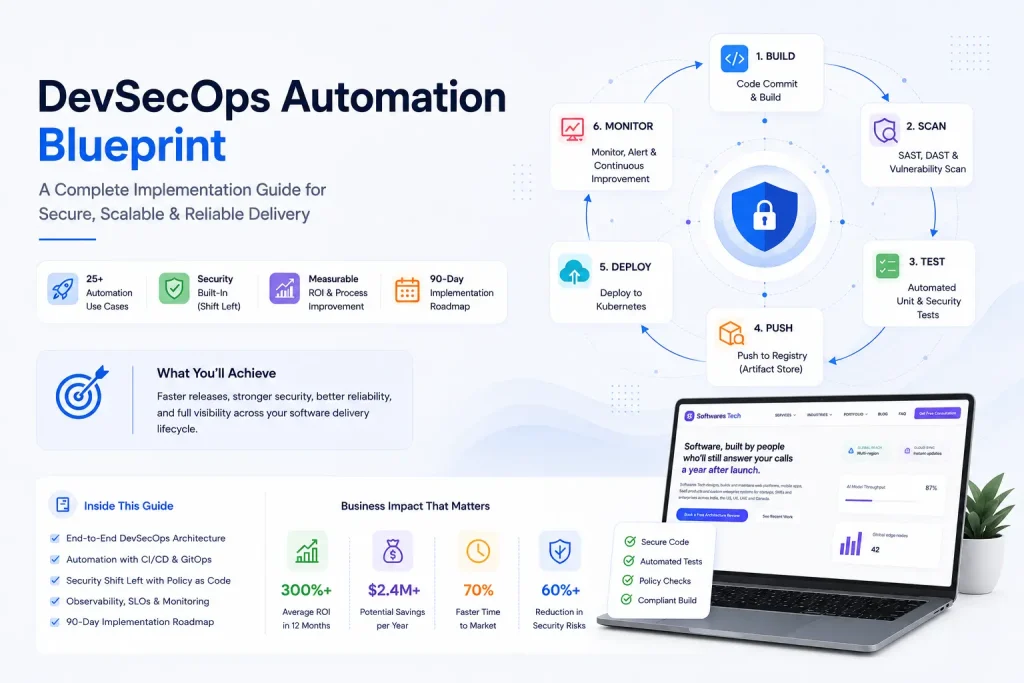
DevOps Best Practices in 2026: From CI/CD to Production Monitoring
If you've spent any real time on call, you already know that "DevOps" stopped being a job title years ago and became a shared...
